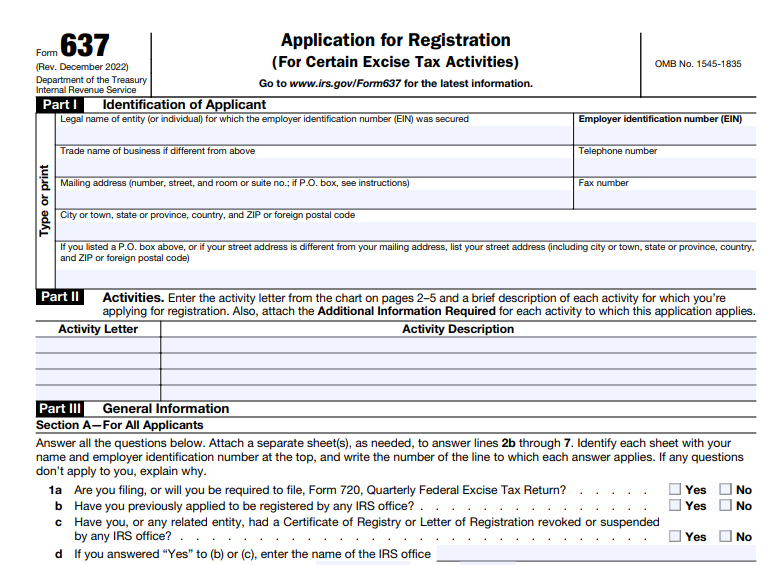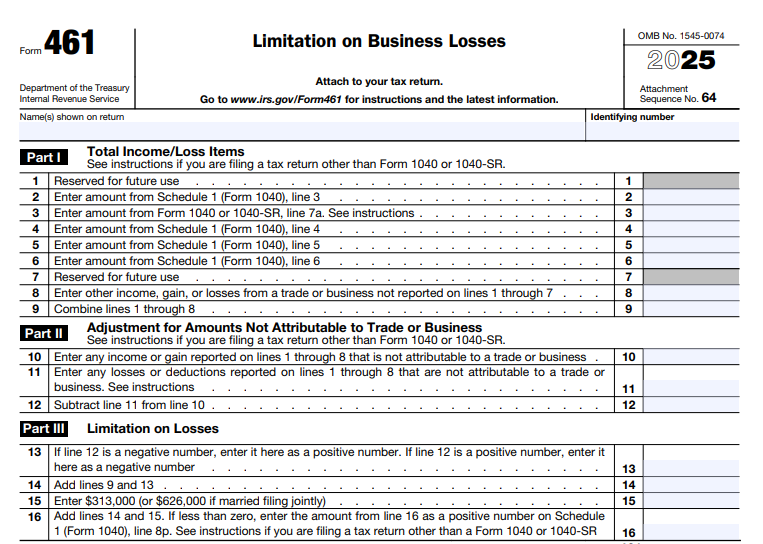
IRS Form 5498-SA – HSA, Archer MSA, or Medicare Advantage MSA Information

IRS Form 5498-SA - HSA, Archer MSA, or Medicare Advantage MSA Information

IRS Form 5498-SA – HSA, Archer MSA, or Medicare Advantage MSA Information – If you’re managing a Health Savings Account (HSA), Archer Medical Savings Account (Archer MSA), or Medicare Advantage Medical Savings Account (MA MSA), understanding IRS Form 5498-SA is crucial for accurate tax reporting and maximizing your tax-advantaged savings. This informational form tracks contributions to these accounts, helping the IRS ensure compliance while providing you with key details for your tax return. As of the 2025 tax year, Form 5498-SA remains a vital tool for account holders and trustees alike, with minimal updates focused on clarity and electronic filing enhancements.

In this comprehensive guide, we’ll break down what Form 5498-SA is, who needs it, how to read and file it, and the latest 2025 deadlines. Whether you’re an individual saver or a financial professional, this article will help you navigate the form with confidence. Let’s dive in.

IRS Form 5498-SA - HSA, Archer MSA, or Medicare Advantage MSA Information
IRS Form 5498-SA – HSA, Archer MSA, or Medicare Advantage MSA Information


What Is IRS Form 5498-SA?

IRS Form 5498-SA, titled “HSA, Archer MSA, or Medicare Advantage MSA Information,” is an annual information return used to report contributions to tax-favored medical savings accounts. Filed by the trustee or custodian of the account (such as a bank or investment firm), it provides the IRS and account holder with a record of all contributions made during the tax year, including those eligible for deductions.

Unlike Form 1099-SA, which reports distributions (withdrawals) from these accounts, Form 5498-SA focuses solely on inflows—helping you verify deductible amounts when filing your taxes. It’s not attached to your personal income tax return (Form 1040), but you’ll use its data to complete Form 8889 for HSAs or Form 8853 for MSAs.

Why Does Form 5498-SA Matter for Taxpayers?

  • Tax Deductions: Contributions to HSAs and Archer MSAs are often tax-deductible, reducing your adjusted gross income (AGI). Form 5498-SA confirms these amounts, preventing under- or over-claiming.
  • Compliance and Audits: Accurate reporting helps avoid IRS penalties, such as the 6% excise tax on excess contributions.
  • Planning Tool: It shows your account’s fair market value (FMV), aiding in retirement health planning.

For 2025, the form emphasizes electronic filing for efficiency, with a lowered e-file threshold of just 10 returns.

Who Files Form 5498-SA? (And Who Receives It?)

Filers (Trustees/Custodians): If you’re the financial institution or entity maintaining an HSA, Archer MSA, or MA MSA, you must file Form 5498-SA for every account holder, even if no contributions were made—as long as the account was active in 2025. A separate form is required for each account type (e.g., one for HSA, another for Archer MSA).

Recipients (Account Holders): You’ll receive Copy B by June 1, 2026, for reference. Employer contributions may also appear on your W-2 (Box 12, Code W).

Special cases:

  • Death of Account Holder: File for the decedent; spouses inherit HSAs/Archer MSAs, but MA MSAs follow Archer MSA distribution rules.
  • Account Closure: If no contributions occur but the account closes with a distribution, filing may still be required.

Breaking Down the Boxes: How to Read Form 5498-SA

Form 5498-SA is straightforward, with six main boxes detailing contributions and account info. Here’s a box-by-box guide based on the 2025 instructions. Use this to verify your records against the form you receive.

Box Description What It Means for You
Account Number Unique identifier for your account (optional but recommended). Helps match to your statements; useful if you have multiple accounts.
Box 1: Employee or Self-Employed Archer MSA Contributions Your personal contributions to an Archer MSA made in 2025 through April 15, 2026. Eligible for deduction on Form 1040; excludes employer/third-party amounts.
Box 2: Total Contributions in 2025 All contributions (yours, employer, others) to your HSA or Archer MSA in 2025. For IRS use; includes qualified IRA transfers but not rollovers. Use for Form 8889/8853.
Box 3: Total Contributions in 2026 for 2025 Contributions made January 1–April 15, 2026, designated for 2025. Extends your deduction window; reported post-tax deadline for accuracy.
Box 4: Rollover Contributions Trustee-to-trustee rollovers from another HSA/Archer MSA or one-time IRA-to-HSA transfers (under IRC §408(d)(9)). Not deductible as new contributions; tax-free if qualified. Excludes most transfers.
Box 5: Fair Market Value Account value as of December 31, 2025. Optional statement by February 2, 2026; tracks growth for planning. Report if no contributions.
Box 6: Account Type Checkbox for HSA, Archer MSA, or MA MSA. Confirms the plan type; ensures correct tax treatment.

Pro Tip: Boxes 2 and 3 are for IRS matching only—don’t use them directly for deductions. Cross-reference with your records or W-2, as the form arrives after the April 15, 2026, filing deadline.

IRS Form 5498-SA Download and Printable

Download and print: IRS Form 5498-SA

2025 Deadlines and Filing Requirements

For the 2025 tax year:

  • File with IRS: By June 1, 2026 (or next business day if it falls on a weekend/holiday).
  • Furnish to Participant: Copy B by June 1, 2026. FMV statement (Box 5) optional by February 2, 2026.
  • Electronic Filing: Required if filing 10+ returns; use IRS-approved software like TaxBandits for bulk submissions.
  • Extension: Request via Form 8809 for 30 days.

If no contributions (including rollovers) and FMV was already reported, skip the participant copy—but still file with the IRS.

Recent Changes for 2025

The 2025 Form 5498-SA saw minimal updates: tax year changes throughout, editorial tweaks to Copy A (e.g., added URL to General Instructions), and reinforcement of the e-file threshold drop to 10 returns (from T.D. 9972, effective 2024). No major legislative shifts, per IRS updates as of January 2025. Always check IRS.gov for post-publication developments.

Common Mistakes to Avoid with Form 5498-SA

Steer clear of these pitfalls to ensure smooth compliance:

  1. Filing with Your Tax Return: This is an info return—don’t attach it to Form 1040.
  2. Missing Zero-Contribution Filings: Required if the account existed in 2025.
  3. Confusing Rollovers and Contributions: Box 4 rollovers aren’t deductible; trustee-to-trustee transfers (except IRA-to-HSA) aren’t reported.
  4. Late or Inaccurate Employer Reporting: Ensure W-2 alignment; excess contributions trigger excise taxes.
  5. Ignoring Death/Closure Rules: Special handling applies—consult IRS Pub. 969.

Penalties for late filing start at $50 per return, with no cap—request reasonable cause relief if needed.

How Form 5498-SA Ties Into Your Taxes

Use Box 2 (and your records for Box 3) to report HSA/Archer MSA contributions on:

  • Form 8889 (HSAs): Attached to Form 1040 for deductions.
  • Form 8853 (MSAs): For Archer/MA MSA details.

Distributions? That’s Form 1099-SA territory—pair it with 5498-SA for full visibility. Track everything via account statements, as the form arrives post-April 15.

Final Thoughts: Stay Ahead with Form 5498-SA in 2025

IRS Form 5498-SA simplifies tracking your medical savings contributions, ensuring you claim every tax break while staying IRS-compliant. For 2025, focus on timely electronic filing and accurate box reporting to avoid headaches. Trustees: Leverage tools like e-filing portals for efficiency. Account holders: Review your copy against personal records and consult a tax pro for complex scenarios.

For the latest, visit IRS.gov/Form5498SA or download the 2025 instructions. Ready to optimize your HSA strategy? Start by reviewing your 2025 contributions today—your future self (and wallet) will thank you.

This article is for informational purposes only and not tax advice. Consult a qualified professional for personalized guidance.


IRS Form 1099-DA – Digital Asset Proceeds From Broker Transactions

IRS Form 1099-DA - Digital Asset Proceeds From Broker Transactions

 IRS Form 1099-DA – Digital Asset Proceeds From Broker Transactions – In the rapidly evolving world of digital assets, staying compliant with IRS reporting requirements is more crucial than ever. If you’re trading cryptocurrencies, non-fungible tokens (NFTs), or other digital assets through a broker in 2025, you’ll likely encounter IRS Form 1099-DA, Digital Asset Proceeds from Broker Transactions. This new form, introduced as part of the Infrastructure Investment and Jobs Act (IIJA) of 2021, standardizes reporting for crypto sales and exchanges, helping both taxpayers and the IRS track taxable events more accurately. As digital asset transactions surge—with global crypto market capitalization exceeding $2 trillion in 2025—understanding Form 1099-DA can prevent costly penalties and simplify your tax filing.

This SEO-optimized guide breaks down everything you need to know about Form 1099-DA: its purpose, who must file it, what it reports, and how it impacts your 2025 taxes. Whether you’re a casual investor or a high-volume trader, read on to ensure compliance and optimize your crypto tax strategy.

 IRS Form 1099-DA - Digital Asset Proceeds From Broker Transactions
IRS Form 1099-DA – Digital Asset Proceeds From Broker Transactions


What Is IRS Form 1099-DA?

Form 1099-DA is the IRS’s dedicated information return for reporting proceeds from the sale or exchange of digital assets facilitated by brokers. Unlike the general Form 1099-B used for securities, this form specifically targets digital assets, including cryptocurrencies like Bitcoin and Ethereum, NFTs, and certain tokenized assets.

Launched in response to the IIJA, Form 1099-DA aims to close the gap in crypto tax compliance. A 2023 IRS review revealed only about 25% voluntary compliance for digital asset gains, prompting this structured reporting to boost accuracy and deter underreporting. Brokers must issue the form for transactions starting January 1, 2025, with statements due to recipients by February 17, 2026, and filings to the IRS by March 31, 2026 (electronic) or February 28, 2026 (paper).

Key takeaway: Form 1099-DA reports gross proceeds (the total amount received from a sale), not your net gain or loss. You’ll still need to calculate and report capital gains on your Schedule D (Form 1040).

Why Was Form 1099-DA Introduced? The Shift in Crypto Tax Reporting

The rise of digital assets has outpaced traditional tax frameworks, leading to fragmented reporting. Prior to 2025, many crypto brokers used Form 1099-B or no form at all, resulting in incomplete IRS data. The IIJA amended Internal Revenue Code §6045 to mandate broker reporting for digital asset dispositions, effective for 2025 transactions.

Final regulations (TD 9992) issued in June 2024 phase in requirements:

  • 2025: Mandatory gross proceeds reporting; basis reporting voluntary.
  • 2026 and later: Full basis reporting for “covered securities” (digital assets acquired after 2025).

This phased approach provides transitional relief: No penalties for good-faith efforts in 2025, per Notice 2024-56. The goal? Equip taxpayers with clearer data while enabling the IRS to verify returns via automated matching, reducing audit risks for compliant filers.

Who Needs to File Form 1099-DA? Defining a “Digital Asset Broker”

Not every crypto user files Form 1099-DA—it’s the broker’s responsibility. The IRS broadly defines a digital asset broker as any entity that:

  • Regularly provides services effectuating sales (e.g., exchanges like Coinbase).
  • Accepts digital assets as payment for services.
  • Operates kiosks or processes payments with knowledge of proceeds.

Examples include:

  • Centralized exchanges and trading platforms.
  • Hosted wallet providers.
  • Payment processors and real estate entities accepting crypto.

Decentralized (non-custodial) brokers are exempt for now, with future rules pending. If you’re a broker, file one Form 1099-DA per transaction type (e.g., separate for crypto vs. NFTs).

Broker Type Required to File 1099-DA? Examples
Centralized Exchanges Yes Coinbase, Binance.US
Hosted Wallets Yes Custodial services like Gemini
Payment Processors Yes (if they know proceeds) BitPay
Decentralized Platforms No (for now) Uniswap (non-custodial)
Real Estate Brokers Yes (for crypto payments) Title companies accepting BTC

What Transactions Are Reportable on Form 1099-DA?

Form 1099-DA covers sales, exchanges, or dispositions of digital assets for cash, other digital assets, or property. Reportable events include:

  • Selling crypto for fiat (e.g., BTC to USD).
  • Exchanging one digital asset for another (e.g., ETH to SOL).
  • Using crypto to buy goods/services (if brokered).
  • Certain NFT sales, including first sales by creators (optional aggregated reporting).

Exemptions (per Notice 2024-57) include:

  • Dispositions for NFTs or real property (pending further guidance).
  • Rewards/airdrops (reportable as income elsewhere).
  • Non-custodial trades.

Stablecoins and specified NFTs may qualify for aggregated reporting in Box 11a if proceeds are minimal.

Breaking Down the Boxes on Form 1099-DA

The 2025 draft form includes detailed fields for transparency. Here’s a quick overview:

Box Description 2025 Requirement
1a–1c Digital Token ID (DTIF), asset name, units sold Mandatory
1d–1e Acquisition date, sale date Mandatory
1f Gross proceeds Mandatory
1g–1i, 2, 6 Cost basis, adjustments, gain/loss type Voluntary
7 Cash-only proceeds Check if applicable
8 Customer-provided basis Check if used
9 Noncovered security Check for pre-2026 assets
11a–11c Aggregated proceeds for stablecoins/NFTs Optional for qualifying sales
12a–12b Transfer-in units and date For certain inflows

Source: IRS Draft Form 1099-DA (2025). Use the DTIF code (like a CUSIP for crypto) to identify assets precisely.

IRS Form 1099-DA Download and Printable

Download and Print: IRS Form 1099-DA

2025 Reporting Deadlines and Penalties for Form 1099-DA

  • Furnish to recipients: February 17, 2026.
  • File with IRS: March 31, 2026 (e-file); February 28, 2026 (paper).
  • Extensions: 30 days via Form 8809.

Penalties start at $60 per form for late/inaccurate filing, up to $630 for intentional disregard (no cap). Good-faith relief applies in 2025, but accuracy is key—mismatches trigger IRS notices like CP2000.

How Does Form 1099-DA Affect Taxpayers? Calculating Your Crypto Taxes

As a recipient, expect your 1099-DA by mid-February 2026. It reports gross proceeds, so:

  1. Subtract your cost basis (purchase price + fees) to find gain/loss.
  2. Classify as short-term (≤1 year: ordinary rates) or long-term (>1 year: 0–20%).
  3. Report on Form 8949 and Schedule D.

Pro Tip: Track basis at the wallet level per Revenue Procedure 2024-28—don’t rely solely on the form, as 2025 versions omit it. Tools like CoinTracker can reconcile multi-exchange data.

Example: You sell 1 BTC bought at $40,000 for $60,000 in 2025. Form 1099-DA shows $60,000 proceeds. Your short-term gain: $20,000 (taxed at your income rate).

Common Mistakes to Avoid with Form 1099-DA and Crypto Reporting

  • Forgetting non-cash exchanges: Crypto-to-crypto swaps are taxable.
  • Zero basis assumption: Without records, IRS may tax full proceeds.
  • Overlooking state reporting: Boxes 14–16 capture local taxes.
  • Ignoring DeFi: Future rules may expand to non-custodial, but self-report now.

Preparing for Form 1099-DA: Actionable Steps for 2025

  1. Gather Records: Download transaction histories from exchanges.
  2. Choose Basis Method: FIFO, LIFO, or HIFO—document consistently.
  3. Consult a Pro: Tax software or CPAs specializing in crypto (e.g., via Gordon Law Group).
  4. Monitor Updates: Check IRS.gov/Form1099DA for final instructions.

Conclusion: Stay Ahead of Crypto Tax Changes with Form 1099-DA

As 2025 wraps up, Form 1099-DA marks a pivotal step toward mainstreaming digital asset taxation. By reporting gross proceeds accurately, brokers empower taxpayers to file confidently, while the IRS gains tools to ensure fairness. Don’t let mismatched forms derail your return—proactive tracking now saves headaches later.

For the latest on IRS Form 1099-DA requirements, visit IRS.gov or consult a tax advisor. Ready to optimize your 2025 crypto taxes? Start reconciling your portfolio today.

This article is for informational purposes only and not tax advice. Always consult a qualified professional for personalized guidance.


IRS Form 8840 – Closer Connection Exception Statement for Aliens

IRS Form 8840 - Closer Connection Exception Statement for Aliens

IRS Form 8840 – Closer Connection Exception Statement for Aliens – Navigating U.S. tax residency as a non-U.S. citizen can be complex, especially if you’re spending significant time in the United States. If you’re an alien individual who meets the substantial presence test but wants to maintain nonresident status, IRS Form 8840—the Closer Connection Exception Statement for Aliens—is your key tool. This form allows you to claim an exception by proving a stronger tie to a foreign country (or two) than to the U.S., potentially avoiding U.S. tax on worldwide income.

In this SEO-optimized 2025 guide, we’ll cover everything from Form 8840 eligibility and substantial presence test basics to step-by-step filing instructions, deadlines, and common pitfalls. Whether you’re searching for “IRS Form 8840 instructions 2025,” “closer connection exception requirements,” or “how to file Form 8840,” this article draws directly from official IRS resources to help you stay compliant and minimize your tax burden.

IRS Form 8840 - Closer Connection Exception Statement for Aliens
IRS Form 8840 – Closer Connection Exception Statement for Aliens


What Is IRS Form 8840?

Form 8840 is a one-page IRS statement that alien individuals use to claim the closer connection exception to the substantial presence test under Internal Revenue Code (IRC) Section 7701(b). This exception treats you as a nonresident alien for U.S. tax purposes, even if your U.S. presence might otherwise classify you as a resident.

The form requires you to provide general information about your U.S. presence, tax home, and significant personal/economic contacts with foreign countries. It’s not a tax return but an attachment or standalone filing that supports your nonresident claim. For 2025, the form was revised on April 28, 2025, with updates mainly to the header for the tax year.

Key benefit: Claiming this exception means you’re taxed only on U.S.-source income, not your global earnings, and you may qualify for treaty benefits.

Understanding the Substantial Presence Test

Before diving into Form 8840, grasp the substantial presence test, which determines U.S. tax residency based on days spent in the country:

  • You meet the test if present in the U.S. for at least 31 days in the current year (2025) and 183 days over a 3-year weighted period:
    • All days in 2025.
    • 1/3 of days in 2024.
    • 1/6 of days in 2023.

Certain days don’t count, like transit days (<24 hours), medical condition days, or time as an exempt individual (e.g., student, teacher). If exempt, file Form 8843 instead.

If you pass this test but have a closer foreign connection, Form 8840 lets you opt out of resident status.

Who Must File IRS Form 8840 in 2025?

You must file Form 8840 if you’re an alien individual who:

  • Meets the substantial presence test for 2025.
  • Was present in the U.S. for fewer than 183 days during 2025 (a prerequisite for the exception).
  • Had a tax home in a foreign country for the entire year (your main place of business, employment, or residence if no business).
  • Has a closer connection to one foreign country (or two under specific rules) than to the U.S.
  • Did not apply for, take steps toward, or have a pending application for U.S. lawful permanent resident (green card) status.

Each eligible individual files a separate form—no joint filings.

Closer Connection to One Foreign Country

To qualify:

  • Tax home in one foreign country all year.
  • More significant contacts with that country than the U.S. (detailed in Part IV of the form).

Closer Connection to Two Foreign Countries

Stricter rules apply:

  • Tax home in Country A on January 1, 2025.
  • Switched to Country B during 2025, maintaining it for the rest of the year.
  • Closer connection to each country during its respective period.
  • Taxed as a resident in at least one country for the full year (or both for their periods).

You cannot claim the exception if your tax home was ever in the U.S. or if you pursued permanent residency (e.g., filed Form I-485).

Even if ineligible for this exception, you might claim nonresident status via a tax treaty—file Form 8833 with Form 1040-NR.

Establishing a Closer Connection: Significant Contacts

The IRS evaluates your closer connection based on facts and circumstances, focusing on where you maintain more ties. Part IV of Form 8840 lists 17 factors, such as:

  • Location of your permanent home (available year-round).
  • Where your family lives.
  • Personal belongings (cars, furniture, jewelry).
  • Bank accounts, business activities, driver’s license, voting registration.
  • Country of residence on official forms (e.g., W-8BEN vs. W-9).
  • Source of income and investments.
  • Health insurance provider.

List U.S. contacts honestly, but emphasize foreign ones to show the balance tips abroad.

When Is Form 8840 Due for Tax Year 2025?

Timely filing is critical—late submissions disqualify the exception unless you prove reasonable cause with clear evidence.

  • If Filing a U.S. Tax Return: Attach Form 8840 to your Form 1040-NR (U.S. Nonresident Alien Income Tax Return). Due June 17, 2026 (for non-wage earners; April 15 for wage earners), including extensions up to October 15, 2026.
  • If No Tax Return Required: Mail standalone Form 8840 by the same Form 1040-NR due date (June 17, 2026, or extended).

Penalties for non-filing: Loss of the exception, potentially making you a U.S. resident subject to worldwide taxation.

IRS Form 8840 Download and Printable

Download and Print: IRS Form 8840

How to Complete and File Form 8840: Step-by-Step Guide

The IRS estimates 2 hours to complete Form 8840. Download the 2025 PDF from IRS.gov. Use black ink for paper; e-filing isn’t available—it’s paper-only.

Step 1: Gather Documents

  • Passport, visa details, days-count logs.
  • Proof of foreign ties (e.g., foreign tax returns, bank statements).

Step 2: Fill Out the Form

  • Header: Name, SSN/ITIN (if any), addresses.
  • Part I: General Information
    • Line 1: Visa type/date entered (or VWP details).
    • Lines 2–4: Citizenship, passport countries/numbers.
    • Line 5: U.S. presence days (2023–2025).
    • Line 6: Confirm no green card pursuit (ineligible if yes).
  • Part II: One Foreign Country
    • Line 7: Tax home location.
    • Line 8: Country of closer connection.
  • Part III: Two Foreign Countries (complete instead of Part II if applicable)
    • Lines 9–10: Tax home locations and switch date.
    • Lines 11–13: Confirm closer connections and foreign tax residency; attach proofs/explanations.
  • Part IV: Significant Contacts
    • Lines 14–30: Detail foreign vs. U.S. ties (e.g., home address, family location, income sources). Attach extra sheets if needed.
  • Signature: Only if filing standalone; declare under perjury.

Step 3: Submit

  • With return: Attach to Form 1040-NR and mail per its instructions.
  • Standalone: Send to Department of the Treasury, Internal Revenue Service Center, Austin, TX 73301-0215.

Pro Tip: Keep copies and proofs—IRS may request verification.

Common Mistakes and Penalties for Form 8840

Avoid these pitfalls:

  • Forgetting to count weighted days correctly.
  • Claiming without <183 U.S. days in 2025.
  • Incomplete Part IV (must show foreign ties outweigh U.S. ones).

No direct monetary penalties, but failure to file timely revokes the exception, leading to resident status and back taxes/interest.

Recent Updates to IRS Form 8840 for 2025

The 2025 form (Rev. April 2025) includes no major changes from 2024, but clarifies tax home definitions and two-country rules. It aligns with ongoing IRS emphasis on international compliance. Check IRS.gov for any post-release notices.

Frequently Asked Questions (FAQs) About IRS Form 8840

1. Do I need Form 8840 if I’m under a tax treaty?

No—for treaty-based nonresidency, use Form 8833. Form 8840 is for the substantial presence exception only.

2. What if I have no ITIN?

You can file without one, but get an ITIN if needed for refunds or future filings via Form W-7.

3. Can spouses file together?

No—separate forms required.

4. How do I count U.S. presence days?

Use the 3-year formula; exclude transit, medical, or exempt days.

5. Where do I download the 2025 Form 8840?

From IRS.gov/pub/irs-pdf/f8840.pdf.

For tailored advice, consult a tax professional. Proper filing keeps your nonresident status intact—don’t miss out!

Last updated: December 2025. Sources: IRS.gov official publications.


IRS Form 1042-T – Annual Summary and Transmittal of Forms 1042-S

IRS Form 1042-T - Annual Summary and Transmittal of Forms 1042-S

IRS Form 1042-T – Annual Summary and Transmittal of Forms 1042-S – In the world of international tax compliance, accurately reporting U.S.-source income paid to foreign persons is crucial for withholding agents. Enter IRS Form 1042-T, the essential transmittal document for paper submissions of Form 1042-S—the form that details foreign persons’ U.S. source income subject to withholding. Whether you’re a U.S. business paying royalties to overseas partners or a financial institution handling dividends for nonresident aliens, understanding Form 1042-T filing requirements can prevent costly penalties and ensure smooth IRS processing.

This SEO-optimized guide breaks down everything you need to know about IRS Form 1042-T for tax year 2025, including who must file, deadlines, step-by-step instructions, and recent updates. Drawing from official IRS resources, we’ll help you navigate this form efficiently. If you’re searching for “Form 1042-T instructions” or “how to file Form 1042-T,” you’ve come to the right place.

IRS Form 1042-T - Annual Summary and Transmittal of Forms 1042-S
IRS Form 1042-T – Annual Summary and Transmittal of Forms 1042-S


What Is IRS Form 1042-T?

Form 1042-T, titled Annual Summary and Transmittal of Forms 1042-S, serves as a cover sheet for transmitting paper copies of Form 1042-S to the Internal Revenue Service (IRS). It summarizes the totals from the attached 1042-S forms and ensures the IRS receives organized batches of these reports.

Unlike Form 1042 (the annual withholding tax return summarizing all withholdings under Chapters 3 and 4 of the Internal Revenue Code), Form 1042-T doesn’t report tax liability—it’s purely a transmittal tool. It doesn’t replace electronic filing options for 1042-S, which are mandatory in many cases. A key rule: Use a separate Form 1042-T for each distinct type of 1042-S you’re submitting, such as originals vs. amendments or Chapter 3 vs. Chapter 4 withholdings.

This form is part of the broader ecosystem for reporting fixed, determinable, annual, or periodical (FDAP) income—like interest, dividends, rents, or royalties—paid to non-U.S. persons. Even if no tax was withheld due to a tax treaty, reporting is often required.

Who Must File IRS Form 1042-T in 2025?

Not every withholding agent needs to file Form 1042-T—it depends on your filing method and volume. Here’s who qualifies:

  • Withholding Agents Filing Paper 1042-S Forms: If you’re submitting paper Forms 1042-S (e.g., fewer than 10 forms, qualifying for a waiver), you must attach them to a Form 1042-T. This includes U.S. or foreign entities acting as withholding agents under IRC Sections 1441, 1442, or 1471–1474.
  • Qualified Intermediaries (QIs), Withholding Foreign Partnerships (WPs), or Withholding Foreign Trusts (WTs): These entities must file if transmitting paper 1042-S revisions to specific recipients under their agreements (e.g., Rev. Proc. 2022-43 for QIs).
  • Partnerships Reporting Subsequent-Year Withholding: If you’re a partnership withholding on a foreign partner’s share of prior-year undistributed income after March 15 of the following year, check the relevant box on 1042-T.

Exemptions apply if you e-file your 1042-S forms directly—no 1042-T needed. For 2025, withholding agents filing more than 10 Forms 1042-S must e-file them, per IRS rules. Foreign withholding agents are also exempt from e-filing Form 1042 itself in 2025 under Notice 2024-26.

In short: If you’re paper-filing 1042-S, you must file Form 1042-T. Always cross-reference with Form 1042 to reconcile totals.

When Is Form 1042-T Due for Tax Year 2025?

Timing is everything in tax reporting. For income paid in calendar year 2025:

  • Filing DeadlineMarch 15, 2026. Submit Form 1042-T with attached Copy A of your paper 1042-S forms by this date. If March 15 falls on a weekend or holiday, the deadline shifts to the next business day.
  • Extensions: No automatic extension for 1042-T, but you can request one via Form 7004 (up to October 15, 2026) if eligible. Note: Extensions don’t extend payment deadlines for any withheld taxes reported on Form 1042.
  • Multiple Submissions: You can send multiple 1042-T packages before filing your Form 1042, as long as totals reconcile later.

Late filings trigger penalties (detailed below), so mark your calendar. For reference, the 2024 deadline was March 17, 2025 (adjusted for weekend).

Paper vs. Electronic Filing: Do You Need Form 1042-T?

The IRS strongly encourages electronic filing for efficiency, but paper options remain for smaller filers. Here’s the breakdown:

Paper Filing with Form 1042-T

  • When to Use: If you’re exempt from e-filing (e.g., 10 or fewer 1042-S forms) or prefer paper for amendments.
  • How to Submit: Mail flat (unfolded) packages to:
    Ogden Service Center
    P.O. Box 409101
    Ogden, UT 84409
  • Pros: Simpler for low-volume filers.
  • Cons: Slower processing; higher error risk.

Electronic Filing (No 1042-T Required)

  • Mandatory For: Over 10 1042-S forms in 2025. Use the IRS’s FIRE system or approved software.
  • Benefits: Faster, more secure, and eligible for waivers on penalties for reasonable cause.
  • Modernized e-File (MeF): Now available for Form 1042 in 2025, streamlining the process.

For 2025, the IRS updated e-filing exemptions for foreign agents on Form 1042, promoting flexibility. Always check IRS.gov/Form1042T for the latest.

How to Complete and File Form 1042-T: Step-by-Step Guide

Filling out Form 1042-T takes about 12 minutes per the IRS’s Paperwork Reduction Act estimate. Download the 2025 version from IRS.gov. Here’s a detailed walkthrough:

Step 1: Gather Required Information

  • Withholding agent details: Name, address, EIN, Chapter 3 and 4 status codes (must match your 1042-S and 1042 forms).
  • Attached 1042-S totals: Gross income (Box 2), federal tax withheld (Boxes 10/11).
  • Form type: Original/amended, Chapter 3/4, pro rata/non-pro rata.

Step 2: Fill Out the Form

Use black ink for paper; ensure accuracy to avoid rejections.

  • Header: Enter your name, address, EIN, and status codes.
  • Line 1: Type of Forms 1042-S Attached
    • 1a: Enter “4” (Chapter 4) or “3” (Chapter 3)—no mixing.
    • 1b: Check “Original” or “Amended.”
    • 1c: Check if pro rata allocation applies.
    • 1d: Number of attached 1042-S forms.
    • 1e: Check for partnership subsequent-year withholding (Box 7c on 1042-S checked).
    • 1f: Check for QI/WP/WT revisions under specific revenue procedures.
  • Line 2: Total gross income from all attached 1042-S Box 2 amounts.
  • Line 3: Total Federal Tax Withheld
    • 3a: Chapter 4 withholding (if Line 1a is 4).
    • 3b: Chapter 3 withholding (if Line 1a is 3).
  • Final Return Box: Check “X” if no more 1042-S filings (including amendments) for 2025.
  • Signature: Sign under penalties of perjury, include title, date, and phone number.

Step 3: Attach and Mail

Staple Copy A of 1042-S behind the 1042-T. Mail in a flat envelope—no folding.

Pro Tip: Use IRS-approved software for validation before submission.

Penalties for Late or Incorrect Filing of Form 1042-T

Compliance isn’t optional—mistakes cost money. Tied to Form 1042-S penalties since 1042-T is its transmittal:

  • Failure to File Timely: Up to $310 per 1042-S form (adjusted for inflation). For Form 1042, it’s 5% of unpaid tax per month, up to 25%.
  • Late Payment/Deposit: Interest plus 0.5% per month on underpayments.
  • Incorrect Information: $60–$310 per form for intentional disregard.
  • Failure to E-File: Separate penalty if required but ignored.

Reasonable cause (e.g., natural disasters) can waive penalties—file Form 8809 for e-file waivers. In 2025, focus on timely reconciliation to avoid cascading errors.

Handling Amendments and Corrections on Form 1042-T

Errors happen. For amendments:

  • Check “Amended” on Line 1b.
  • Submit a new 1042-T with revised paper 1042-S.
  • If totals change Form 1042 lines (e.g., gross income or withheld tax), file an amended 1042.

No limit on amendments, but notify recipients of corrected 1042-S Copy B.

Recent Updates for IRS Form 1042-T in 2025

The 2025 Form 1042-T (released May 2025) includes minor clarifications:

  • Enhanced guidance on partnership withholding (Line 1e) for post-March 15 adjustments.
  • Alignment with QI/WP/WT rules for recipient-specific revisions (Line 1f).
  • E-file exemptions for foreign agents on Form 1042 via Notice 2024-26, indirectly easing 1042-T burdens for paper filers.

No major structural changes, but check IRS.gov for post-release updates. The IRS also expanded MeF for Form 1042, benefiting integrated filings.

Frequently Asked Questions (FAQs) About IRS Form 1042-T

1. Can I file Form 1042-T electronically?

No—1042-T is paper-only for transmittals. E-file 1042-S directly.

2. What if I have both Chapter 3 and 4 withholdings?

Use separate 1042-T forms—one per chapter.

3. Is Form 1042-T required if no tax was withheld?

Yes, if reporting zero-withheld 1042-S on paper.

4. How do I request an extension for Form 1042-T?

File Form 7004 by March 15, 2026.

5. Where can I get the 2025 Form 1042-T PDF?

Download from IRS.gov/pub/irs-pdf/f1042t.pdf.

For personalized advice, consult a tax professional. Stay compliant—your international operations depend on it. Questions? Leave a comment below!

Last updated: December 2025. Sources: IRS.gov and official publications.

IRS Form 1042-T Download and Printable

Download and Print: IRS Form 1042-T

IRS Form 5074 – Allocation of Individual Income Tax to Guam or the Commonwealth of the Northern Mariana Islands (CNMI)

IRS Form 5074 - Allocation of Individual Income Tax to Guam or the Commonwealth of the Northern Mariana Islands (CNMI)

IRS Form 5074 – Allocation of Individual Income Tax to Guam or the Commonwealth of the Northern Mariana Islands (CNMI) – Navigating U.S. tax obligations with income from U.S. territories like Guam or the Commonwealth of the Northern Mariana Islands (CNMI) can be complex. If you’re a U.S. citizen or resident alien earning income from these areas, IRS Form 5074 plays a key role in fairly dividing your tax liability. As we approach the 2025 tax filing season, this SEO-optimized guide breaks down everything you need to know about Form 5074—from eligibility and filing requirements to step-by-step instructions and common pitfalls. Whether you’re a military family stationed in Guam or a business owner with CNMI ties, understanding this form ensures compliance and avoids double taxation.

Stay informed with the latest from IRS Publication 570 and official guidelines to file confidently by April 15, 2026, for your 2025 returns.

IRS Form 5074 - Allocation of Individual Income Tax to Guam or the Commonwealth of the Northern Mariana Islands (CNMI)
IRS Form 5074 – Allocation of Individual Income Tax to Guam or the Commonwealth of the Northern Mariana Islands (CNMI)


What Is IRS Form 5074?

IRS Form 5074, officially titled “Allocation of Individual Income Tax to Guam or the Commonwealth of the Northern Mariana Islands (CNMI),” is an informational form that helps the IRS calculate how much of your U.S. income tax should be allocated to these territories. It prevents double taxation by mirroring the U.S. Internal Revenue Code, allowing Guam and CNMI to collect taxes on income sourced there.

The form is essential for U.S. taxpayers with territorial income, ensuring that taxes paid to the U.S. are properly credited or redirected. For tax year 2025, no major structural changes have been announced, but always verify via IRS.gov for updates.

Purpose of Form 5074

Form 5074 allocates your total U.S. tax liability based on the proportion of your income sourced from Guam or CNMI. The IRS uses this data to determine the territory’s share, which you then pay directly to Guam or CNMI. This system promotes equity, as both territories apply U.S.-like tax rates and rules.

It’s particularly relevant amid rising remote work and military relocations, where cross-territory income is common.

Who Needs to File IRS Form 5074?

Not everyone with Guam or CNMI connections files Form 5074. Eligibility hinges on residency status, income thresholds, and filing location.

Filing Requirements for Guam and CNMI Residents

  • Bona Fide Residents: If you’re a bona fide resident of Guam or CNMI for the entire 2025 tax year (meeting the 183-day presence test or closer connection rules), file your full return—including worldwide income—with the territory’s tax authority. You generally skip the U.S. return and Form 5074, unless self-employment income triggers a separate U.S. filing for Social Security/Medicare taxes.
  • Non-Bona Fide U.S. Citizens or Resident Aliens: If you’re not a bona fide resident but have Guam or CNMI source income, file Form 1040 (or 1040-SR) with the IRS. Attach Form 5074 if:
    • Your adjusted gross income (AGI) is $50,000 or more.
    • You have at least $5,000 in gross income from Guam or CNMI sources.

    For joint filers, apply the thresholds to the spouse with the higher AGI (ignoring community property laws). If that spouse is a bona fide resident, file with the territory instead.

  • Nonresident Aliens: File a U.S. Form 1040-NR for U.S.-source income and a separate territorial return for Guam/CNMI income. Form 5074 typically isn’t required unless you’re treated as a resident alien.
  • Special Cases: Military personnel on active duty in Guam/CNMI may qualify as bona fide residents if previously established. Civilian spouses can elect the service member’s residency under the Military Spouses Residency Relief Act (MSRRA).

Income sourcing follows IRC Sections 861–865 and Section 937. Wages are sourced where services are performed; interest where the payer is located; dividends where the corporation is organized.

Key Sections of IRS Form 5074

Form 5074 is straightforward, with three parts focusing on income, adjustments, and payments. Download the 2025 version from IRS.gov.

Part I: Income From Guam or the CNMI

List all 2025 gross income sourced to the territory on lines 1–15, including:

  • Wages/salaries/tips (where performed; de minimis exception for short-term work ≤90 days and ≤$3,000).
  • Interest/dividends/refunds of territorial taxes.
  • Business/capital gains (real property where located; personal property at seller’s residence).
  • Pensions/IRAs/Social Security (if attributable).

Total on line 16. Use Schedule 1 (Form 1040) for additional items.

Part II: Adjustments to Income From Guam or the CNMI

On lines 17–29, report deductions tied to territorial income, such as:

  • Educator expenses, HSA contributions, self-employment tax (pro-rated by territorial self-employment income/total).
  • IRA/student loan interest (pro-rated by compensation ratio).
  • Early withdrawal penalties from territorial accounts.

Subtract from Part I total for AGI on line 30.

Part III: Payments of Income Tax to Guam or the CNMI

Detail credits on lines 31–35:

  • Estimated payments to the territory.
  • Withholding from U.S. government/military wages in Guam/CNMI.
  • Other wage withholding.

These reduce your U.S. liability.

IRS Form 5074 Download and Printable

Download and Print: IRS Form 5074

How to Complete and File IRS Form 5074

  1. Determine Sourcing: Review Pub. 570 for rules. Track records meticulously.
  2. Fill Parts I–III: Use your Form 1040 worksheets; pro-rate where needed.
  3. Attach and Submit: Staple to your U.S. return. Mail to IRS Austin, TX (no payment) or Charlotte, NC (with payment).
  4. E-File Option: Available via tax software; ensure Form 5074 uploads correctly.
  5. Amended Returns: Use Form 1040-X with revised 5074.

For joint returns, the higher-AGI spouse’s status dictates filing jurisdiction.

Deadlines for Filing Form 5074 in 2025

Form 5074 follows your U.S. return deadline:

  • Due Date: April 15, 2026, for calendar-year filers (extensions to October 15 via Form 4868).
  • Estimated Taxes: Quarterly to the jurisdiction of your first payment; switch if needed.
  • Penalties: Late filing incurs failure-to-file (up to 25% of tax due) and interest.

Bona fide residents file with Guam/CNMI by similar dates—check local rules.

Recent Changes to IRS Form 5074 for Tax Year 2025

The 2025 form mirrors prior years, with no box revisions noted. However, ongoing IRS emphasis on self-employment tax for territorial residents remains—file Form 1040-SS if applicable, even without income tax liability. Pub. 570 updates highlight NIIT exemptions for bona fide residents but advise consulting territorial agencies for mirrored rules.

Common Mistakes to Avoid with Form 5074

  • Misclassifying Residency: Overlooking the bona fide test leads to incorrect jurisdiction filing.
  • Underreporting Sourced Income: Forgetting pro-rata adjustments inflates U.S. liability.
  • Joint Return Errors: Basing on wrong spouse’s AGI causes double taxation.
  • De Minimis Oversight: Qualifying short-term work exclusions can reduce reportable income.
  • Missing Attachments: Forgetting Form 5074 with your 1040 triggers notices.

Seek a tax advisor for military or multi-territory scenarios.

Frequently Asked Questions (FAQs) About IRS Form 5074

Who qualifies as a bona fide resident of Guam or CNMI?

You need 183+ days presence or a closer connection; military orders may preserve status.

Do I file Form 5074 if I’m a bona fide resident?

No—file solely with the territory unless self-employment requires U.S. reporting.

What if my AGI is under $50,000 but I have territorial income?

Skip Form 5074; report on Form 1040 but no allocation needed.

How does Form 5074 prevent double taxation?

It credits territorial payments against U.S. liability via mutual agreements.

Where do I get Form 5074 for 2025?

Download from IRS.gov or order via phone; instructions included in Pub. 570.

Final Thoughts: Simplify Your Guam or CNMI Tax Allocation with Form 5074

IRS Form 5074 ensures fair tax sharing for U.S. taxpayers tied to Guam or CNMI, minimizing burdens in these vital territories. By meeting thresholds and sourcing income accurately, you’ll avoid penalties and streamline filing. As 2025 ends, review your residency and records now.

For personalized advice, consult a tax professional or the IRS International Taxpayer Service. Visit IRS.gov/Form5074 for downloads and Pub. 570 for deeper insights.

This article provides general information, not tax advice. Always verify with official sources.


IRS Form 1099-B – Proceeds from Broker and Barter Exchange Transactions

IRS Form 1099-B - Proceeds from Broker and Barter Exchange Transactions

IRS Form 1099-B – Proceeds from Broker and Barter Exchange Transactions – If you’re an investor who sold stocks, bonds, or other securities this year—or engaged in barter exchanges—you’ll likely encounter IRS Form 1099-B. This essential tax document reports the proceeds from these transactions, helping the IRS track capital gains and ensure accurate reporting. As we wrap up 2025, understanding Form 1099-B is crucial for timely tax preparation and avoiding penalties. In this comprehensive guide, we’ll break down what Form 1099-B is, who needs it, how to use it, and the latest updates for the 2025 tax year.

Whether you’re a seasoned trader or a first-time seller, this article covers everything from filing deadlines to common pitfalls. Let’s dive in to simplify your 1099-B experience.

IRS Form 1099-B - Proceeds from Broker and Barter Exchange Transactions
IRS Form 1099-B – Proceeds from Broker and Barter Exchange Transactions


What Is IRS Form 1099-B?

IRS Form 1099-B, titled “Proceeds from Broker and Barter Exchange Transactions,” is an information return used to report income from the sale of financial assets or barter activities. Brokers and barter exchanges issue this form to both the IRS and recipients to document gross proceeds, which taxpayers then use to calculate capital gains or losses on their personal tax returns.

Purpose of Form 1099-B

The primary goal of Form 1099-B is to provide transparency on investment and exchange activities. It ensures the IRS receives details on transactions that could generate taxable income, such as stock sales or property swaps through barter networks. Without accurate 1099-B reporting, discrepancies between broker records and your tax return could trigger audits or underpayment notices.

For tax year 2025, Form 1099-B focuses on traditional securities and barter deals, excluding most digital assets (more on that below). This form helps taxpayers reconcile sales data with their basis (original cost) to determine if they owe taxes on profits.

Who Must File Form 1099-B?

Brokers—including stockbrokers, commodity brokers, and certain financial institutions—must file Form 1099-B for any customer who sold reportable securities for cash. Barter exchanges, which facilitate trades of property or services without cash, are also required to issue the form.

Filing is mandatory if the gross proceeds from a single transaction exceed $10 for covered securities or if any barter exchange occurs. Brokers use this form to report details like date of sale, proceeds, and cost basis where applicable.

Who Receives Form 1099-B?

Individuals, trusts, estates, or partnerships that engage in covered transactions typically receive Form 1099-B by mail or electronically from their broker. If you sold stocks, mutual funds, options, or participated in a barter swap in 2025, expect one (or multiple) forms by early 2026. Even if no gain was realized, the form must be issued for sales over the threshold.

Key Information Reported on Form 1099-B

Form 1099-B captures detailed transaction data across multiple boxes. Here’s a breakdown of the essentials:

  • Box 1a: Description of Property – Identifies the asset, e.g., “100 shares XYZ Corp.”
  • Box 1b: Date Acquired – When you purchased the asset.
  • Box 1c: Date Sold or Disposed – The sale date in 2025.
  • Box 1d: Proceeds – Gross amount received (your starting point for gain/loss calculation).
  • Box 1e: Cost or Other Basis – Reported only for covered securities; otherwise, you provide this.
  • Box 2: Type of Gain or Loss – Short-term or long-term.
  • Box 3: Check if Basis Reported to IRS – Indicates covered securities.
  • Boxes 4–7: Federal Tax Withheld and Adjustments – Any backup withholding or corrections.
  • Box 8–12: Barter-Specific Fields – For exchanges, reports fair market value of traded items.

Covered vs. Noncovered Securities

A key distinction on Form 1099-B is between covered securities (where the broker reports cost basis to the IRS) and noncovered securities (basis not reported). Covered examples include stocks bought after 2010, mutual funds after 2011, and options after 2013. For noncovered items like pre-2011 stocks, you’ll need your own records to calculate basis.

This split affects accuracy: Covered transactions reduce errors, but noncovered ones require diligent record-keeping to avoid overpaying taxes.

Barter Exchange Transactions

Barter exchanges—formal networks swapping goods or services—must report the fair market value (FMV) of what you received on Form 1099-B. For instance, if you traded consulting services for equipment worth $5,000, that’s reported as $5,000 in proceeds. Both parties get a 1099-B, and the income is taxable as ordinary income unless it qualifies as a like-kind exchange.

IRS Form 1099-B Download and Printable

 Download and Print: IRS Form 1099-B

How to Report Form 1099-B on Your Tax Return

Receiving a 1099-B doesn’t mean you owe taxes immediately—it’s for reporting gains/losses. Use the data to complete Form 8949 (Sales and Other Dispositions of Capital Assets) and Schedule D (Capital Gains and Losses) on your Form 1040.

Step-by-Step Reporting Process

  1. Gather All Forms: Compile 1099-Bs from multiple brokers if applicable.
  2. Calculate Gain/Loss: Subtract cost basis (Box 1e or your records) from proceeds (Box 1d). Positive = gain; negative = loss.
  3. Categorize Transactions: Short-term (held ≤1 year) on Part I of Form 8949; long-term on Part II.
  4. Enter on Form 8949: List each transaction, checking boxes for basis reporting (A, B, or C).
  5. Transfer to Schedule D: Total gains/losses flow to Line 7 or 15, then to Form 1040 Line 7.
  6. Apply Adjustments: Report wash sales or other corrections in Column (g).

Tax software like TurboTax automates this, importing 1099-B data directly. Short-term gains are taxed at ordinary rates (up to 37%); long-term at 0–20%.

Pro tip: Keep records for at least three years, as the IRS can audit capital gains claims.

Deadlines for Filing Form 1099-B in 2025

For tax year 2025 transactions, key dates are:

  • Furnish to Recipients: February 17, 2026.
  • File with IRS: March 31, 2026 (electronic); May 1, 2026 (paper, but e-filing is encouraged).
  • Extensions: Brokers can request up to 30 days for recipient copies; 90 days for IRS filing in some cases.

Late filing incurs penalties starting at $60 per form, up to $310 if intentional. E-filing via IRS FIRE system is mandatory for 10+ forms.

Recent Changes to Form 1099-B for Tax Year 2025

While Form 1099-B remains stable, a major shift impacts digital asset users: Starting with 2025 sales, brokers report most crypto and NFT proceeds on the new Form 1099-DA (Digital Asset Proceeds from Broker Transactions), not 1099-B. Exceptions include “dual-classified” assets (e.g., tokenized securities treated as stocks).

This separation streamlines reporting—1099-DA focuses on gross proceeds for crypto, while 1099-B handles traditional brokers. No other box changes for 1099-B, but always check IRS.gov for updates.

Common Mistakes to Avoid with Form 1099-B

Even pros slip up—here’s how to stay compliant:

  • Forgetting Noncovered Basis: Don’t rely solely on the form; track your own costs to avoid inflated gains.
  • Ignoring Barter FMV: Undervaluing trades can lead to IRS adjustments and interest charges.
  • Wash Sale Oversights: If you repurchased the same stock within 30 days, adjust losses per IRS rules.
  • Missing Multiple Forms: Consolidate from all brokers to prevent double-reporting.
  • Deadline Delays: Mark your calendar—late 1099-Bs trigger automated notices.

Consult a tax pro for complex portfolios, especially with options or futures.

Frequently Asked Questions (FAQs) About IRS Form 1099-B

Do I Need to File Form 1099-B If I Had No Gain?

Yes, if proceeds exceed thresholds, the broker files regardless. You report even losses to offset future gains.

What If My Broker Doesn’t Send a 1099-B?

Contact them immediately. You’re still required to report the transaction using your records.

How Does Form 1099-B Affect My Taxes?

It reports proceeds, but your tax bill depends on net gains after basis. Losses can reduce taxable income up to $3,000 annually.

Is Cryptocurrency Reported on Form 1099-B in 2025?

Generally no—use 1099-DA for most digital assets. Check if your crypto qualifies as a security.

Where Can I Get the Latest Form 1099-B Instructions?

Download from IRS.gov/Form1099B or the 2025 PDF instructions.

Final Thoughts: Stay Ahead of Your 1099-B Obligations

IRS Form 1099-B is your roadmap to compliant reporting for broker transactions and barters. By understanding its sections, deadlines, and nuances—like the 2025 digital asset pivot—you’ll file confidently and minimize surprises come tax season. Review your brokerage statements now, and consider professional help for intricate trades.

For the most current details, visit the official IRS page on Form 1099-B. Got questions? Drop a comment below—we’re here to help demystify tax forms!

This article is for informational purposes only and not tax advice. Consult a qualified professional for personalized guidance.


IRS Form W-2VI – U.S. Virgin Islands Wage and Tax Statement

IRS Form W-2VI - U.S. Virgin Islands Wage and Tax Statement

IRS Form W-2VI – U.S. Virgin Islands Wage and Tax Statement – As a business owner or HR professional in the U.S. Virgin Islands (USVI), navigating tax reporting can be complex, especially with territorial-specific forms like IRS Form W-2VI. This U.S. Virgin Islands Wage and Tax Statement is essential for accurately reporting employee wages, tips, and withheld taxes to both federal and local authorities. In this SEO-optimized guide, we’ll break down everything you need to know about Form W-2VI for the 2025 tax year—including its purpose, filing requirements, deadlines, and common pitfalls—to help you stay compliant and avoid penalties.

Whether you’re searching for “IRS Form W-2VI instructions 2025,” “how to file W-2VI,” or “differences between W-2 and W-2VI,” this article has you covered with trusted insights from the IRS and Virgin Islands Bureau of Internal Revenue (VIBIR).

IRS Form W-2VI - U.S. Virgin Islands Wage and Tax Statement
IRS Form W-2VI – U.S. Virgin Islands Wage and Tax Statement


What Is IRS Form W-2VI?

IRS Form W-2VI is the territorial version of the standard Form W-2, designed specifically for reporting wages earned in the U.S. Virgin Islands. It captures wages, tips, and other compensation paid to employees for services performed in the USVI, along with USVI income tax withheld.

Unlike the regular W-2, Form W-2VI is not used for wages subject to U.S. federal income tax withholding. Instead, it’s tailored for USVI-specific tax reporting, ensuring that territorial taxes are properly documented. Employers use it to provide employees with a summary of their earnings and withholdings, while also submitting data to the Social Security Administration (SSA) and VIBIR.

Key components include:

  • Employee details: Social Security Number (SSN), name, and address.
  • Wage and tax data: Boxes for total wages (Box 1), USVI income tax withheld (Box 2), Social Security and Medicare amounts (Boxes 3–7).
  • Other codes: Box 12 for deferred compensation or benefits, and Box 14 for miscellaneous items like union dues.

For the 2025 tax year, the form includes updates like the Social Security wage base limit of $176,100 and corresponding tax maximums (e.g., $10,918.20 for Social Security tax withheld).

Who Must File Form W-2VI?

Any USVI employer engaged in a trade or business must file Form W-2VI if they paid an employee:

  • $600 or more in remuneration (including noncash payments) during 2025, or
  • Any amount where income, Social Security, or Medicare taxes were withheld.

This applies even if the employee is related to the employer. Household employers may have different thresholds, but most businesses with USVI-based employees will need to comply. If an employee performs services both in the USVI and on the U.S. mainland, separate forms are required: W-2VI for USVI wages and standard W-2 for U.S. wages.

Failure to file can result in penalties starting at $60 per form, escalating for intentional disregard.

Key Differences Between Form W-2 and Form W-2VI

While Form W-2VI mirrors the standard W-2 in structure, it has notable distinctions to accommodate USVI tax rules:

Feature Form W-2 (Standard) Form W-2VI (USVI)
Purpose Reports U.S. wages subject to federal income tax withholding. Reports USVI wages not subject to U.S. federal withholding; focuses on territorial taxes.
Box 2 (Tax Withheld) Federal income tax withheld. USVI income tax withheld.
Boxes 8 & 10 Allocated tips and dependent care benefits. Not applicable.
Boxes 15–20 State/local income tax info. Not applicable (territorial ID in Box 15 if needed).
Filing Location SSA only (Copy A). SSA (Copy A with W-3SS) and VIBIR (Copy 1).
EITC Notice Required. Not applicable.

These differences prevent mixing U.S. and USVI data, which could lead to processing errors or audits. Always use W-2VI exclusively for USVI-sourced income.

IRS Form W-2VI Download and Printable

Download and Print: IRS Form W-2VI

How to Complete and File Form W-2VI: Step-by-Step Instructions

Completing Form W-2VI follows the General Instructions for Forms W-2 and W-3 (2025), with territorial adjustments. Download the fillable PDF from IRS.gov.

Step 1: Gather Employee Data

  • Collect SSNs, wages paid (including bonuses, tips, and taxable benefits like group-term life insurance over $50,000).
  • Calculate withholdings: USVI income tax (Box 2), Social Security (6.2% up to $176,100), and Medicare (1.45%, plus 0.9% Additional Medicare Tax on wages over $200,000).

Step 2: Fill Out the Boxes

  • Box a–f: Employee and employer identifiers (no SSN truncation on Copy A).
  • Box 1: Total taxable wages (exclude pre-tax deductions like 401(k) contributions).
  • Boxes 3–7: Social Security and Medicare details—ensure Box 5 ≥ Boxes 3 + 7.
  • Box 12: Use codes like D (elective deferrals) or EE (Roth contributions).
  • Box 13: Check boxes for retirement plans or statutory employees.
  • Void errors by marking “VOID” and issuing a new form.

If an employee has multiple W-2VIs (e.g., >4 Box 12 codes), repeat identifying info on extras.

Step 3: Distribute and File

  • Furnish Copies B, C, and 2 to employees.
  • File Copy A with Form W-3SS to the SSA.
  • Send Copy 1 to VIBIR at: 6115 Estate Smith Bay, Suite 225, St. Thomas, VI 00802.

E-filing is mandatory if filing 10+ returns (including W-2VIs and 1099s). Use SSA’s Business Services Online (BSO) for free submission—register early, as it takes up to 2 weeks. Paper filers must use red-ink scannable forms.

For corrections, use Form W-2c and W-3c.

Deadlines for Filing Form W-2VI in 2025

Timely filing is crucial to avoid penalties. For wages paid in 2025:

  • Furnish to Employees: By January 31, 2026 (adjusted to Monday, February 2, 2026, as January 31 falls on a Saturday).
  • File with SSA (Copy A + W-3SS): February 2, 2026 (paper or electronic).
  • File with VIBIR (Copy 1): Aligns with SSA deadline; confirm via BIR.VI.gov.

Extensions:

  • SSA: One 30-day extension via Form 8809 (for extraordinary circumstances only).
  • Employee furnishing: Up to 15–30 days via Form 15397.

If employment ends before year-end, provide forms within 30 days of the last paycheck, but no later than February 2, 2026. Late filing penalties start at $60 per form and can reach $630 if over 30 days late.

Common Mistakes to Avoid When Filing Form W-2VI

Steer clear of these pitfalls to ensure smooth processing:

  • Mixing Wage Types: Never report U.S.-withheld wages on W-2VI—use separate forms.
  • Incorrect Box Usage: Leaving Boxes 8 or 10 blank is fine (not applicable), but don’t enter data there.
  • SSN Errors: Always verify SSNs; “Applied For” is temporary—correct later with W-2c.
  • E-Filing Oversights: Forgetting the 10-form threshold can trigger audits.
  • Missing VIBIR Copy: Dual filing (SSA + VIBIR) is required for full compliance.

Retain Copy C for at least 3 years.

Resources and Support for Form W-2VI

  • Official IRS Page: Download forms and instructions at IRS.gov W-2VI.
  • General Instructions: Read the full 2025 guide at IRS Instructions for W-2 and W-3.
  • VIBIR Guidance: Visit BIR.VI.gov for local reminders and forms requests.
  • SSA E-Filing Help: Call 800-772-6270 or use BSO at SSA.gov.
  • Professional Assistance: Consult a tax advisor for complex cases, like nonqualified deferred compensation.

Final Thoughts: Stay Compliant with Form W-2VI

Mastering IRS Form W-2VI ensures accurate wage reporting for your USVI employees, supporting seamless tax filings and Social Security credits. With deadlines approaching in early 2026, start gathering data now to avoid last-minute stress. For personalized advice, reach out to the IRS or VIBIR—compliance today means peace of mind tomorrow.

Last updated: December 2025. Always verify with official sources for the latest changes.


IRS Form 4835 – Farm Rental Income and Expenses

IRS Form 4835 - Farm Rental Income and Expenses

IRS Form 4835 – Farm Rental Income and Expenses – As a landowner renting out farmland for crop or livestock production, understanding how to report your income and expenses accurately is crucial for tax compliance. IRS Form 4835, Farm Rental Income and Expenses, is the key tool for passive farm rental arrangements where you don’t actively manage the farm. This guide breaks down everything you need to know about Form 4835 for tax year 2025, including who needs to file, step-by-step instructions, and differences from other forms. Whether you’re new to farm rentals or optimizing your deductions, this SEO-optimized resource will help you navigate the process efficiently.

Last updated: December 3, 2025. Always consult a tax professional or the latest IRS publications for personalized advice.

IRS Form 4835 - Farm Rental Income and Expenses
IRS Form 4835 – Farm Rental Income and Expenses


What Is IRS Form 4835?

IRS Form 4835 is designed for reporting farm rental income based on production shares of crops or livestock produced by a tenant, rather than fixed cash rents. It’s specifically for landowners or sub-lessors who do not materially participate in the farm’s operation or management—for self-employment tax purposes. This makes the income passive, exempting it from self-employment taxes but subject to passive activity loss limitations.

Key purposes include:

  • Capturing gross rental income from production-based shares (e.g., a percentage of harvested crops).
  • Deducting related rental expenses like repairs, insurance, and depreciation.
  • Flowing net income or (limited) losses to Schedule E (Form 1040), lines 40 and 42.

Unlike active farming income, Form 4835 treats rentals as a passive activity under IRS rules. For 2025, there are no major structural changes to the form, but updates to depreciation limits and bonus depreciation rules may impact your calculations (more on this below).

Who Should File Form 4835?

Not every farm rental scenario requires Form 4835. It’s ideal for passive landlords, but here’s a quick eligibility checklist:

  • Yes, file if:
    • You own or sub-lease farmland and receive income based on crop/livestock production (e.g., 50% of the harvest).
    • You do not materially participate in farm operations (see below for tests).
    • The rental qualifies as a passive activity under passive loss rules.
  • No, use alternatives if:
    • You’re the tenant: File Schedule F (Form 1040) instead.
    • You do materially participate: Report on Schedule F as active farm income, subject to self-employment tax.
    • You receive flat cash rent: Report directly on Schedule E (Form 1040), Part I.
    • You’re an estate, trust, partnership, or S corporation: Use Schedule E or Form 8825.

For qualified joint ventures (e.g., spouses co-owning a rental farm without material participation), each spouse can file a separate Form 4835. Attach the form to your Form 1040, 1040-SR, or 1040-NR.

Scenario Form to Use Why?
Passive crop-share rental Form 4835 No material participation; passive income.
Active farm management Schedule F Material participation; self-employment tax applies.
Cash rent for pasture Schedule E, Part I Not production-based.
Tenant farming Schedule F Operator reports production income.

Understanding Material Participation: The Key to Form 4835 Eligibility

Material participation is the IRS’s way of distinguishing active farmers from passive landlords. If you meet any of the seven tests, your rental becomes non-passive, shifting reporting to Schedule F. For 2025, the tests remain unchanged, but track your hours meticulously to avoid audits.

The 7 Material Participation Tests

To qualify, satisfy at least one:

  1. 500-Hour Test: You participate more than 500 hours in the farm activity during the year.
  2. Primary Participant Test: Your participation is substantially all the work in the activity (or you log >100 hours and no one else does more).
  3. Facts and Circumstances Test: Based on all facts, you’re actively involved (e.g., approving tenants, setting terms, or overseeing repairs).
  4. 5-of-10-Year Test: You materially participated in 5 of the prior 10 years.
  5. Personal Service Test: Your participation constitutes substantially all personal services in the activity.
  6. 50% Ownership Test: You own >50% and participate >100 hours (while others participate ≤100 hours).
  7. Farm Landlord-Specific Test: You perform at least three of these: Pay ≥50% of production costs; furnish ≥50% of equipment/livestock; advise on operations; inspect the farm ≥3 times/year; make management decisions; work ≥100 hours over ≥5 weeks; or show significant involvement.

If your interest (including spouse’s) is <10% by value, you can’t actively participate. For rentals, material participation allows soil/water conservation deductions but triggers self-employment tax.

Pro Tip: Keep detailed logs of decisions, inspections, and hours—IRS audits often scrutinize this.

IRS Form 4835 Download and Printable

Download and Print: IRS Form 4835

How to Fill Out IRS Form 4835: Step-by-Step Instructions

Form 4835 is straightforward but requires accurate income conversion and expense allocation. Use the cash method unless accrual is required. Here’s a line-by-line breakdown for 2025.

Header and Line A

  • Enter your name, SSN, and EIN (if applicable).
  • Line A: Check “Yes” if you actively participated (e.g., made management decisions or arranged services). This affects passive loss rules but doesn’t change form use.

Part I: Gross Farm Rental Income—Based on Production

Report income when converted to cash or equivalent (e.g., fair market value if crops are sold or fed to livestock). Total flows to Schedule E, line 42.

Line Description Tips for 2025
1 Income from livestock, produce, grains, other crops Include production shares at FMV; add crop shares fed to livestock as income (deduct as feed expense).
2a–2b Cooperative distributions (Form 1099-PATR) Enter total (2a); taxable amount (2b)—see Schedule F instructions.
3a–3b Agricultural program payments Total received (3a); taxable portion (3b).
4a–4c CCC loans Report elected/forfeited loans; taxable amount (4c).
5a–5d Crop insurance/federal disaster payments Report 2025 receipts (5a); defer eligible amounts to 2026 by checking 5c and attaching statement. Include 2024 deferrals (5d).
6 Other income (e.g., fuel tax refunds) Include machinery rental in crop-shares (no SE tax).
7 Gross farm rental income Sum lines 1–6 (right column).

Part II: Expenses—Farm Rental Property

Deduct only rental-related costs (not personal or production expenses). Capitalize certain costs under Section 263A (e.g., inventory production). No personal/living expenses.

Line Description 2025 Notes
8 Car/truck expenses Use standard mileage (70¢/mile) or actual; attach Form 4562 if needed.
9–11 Chemicals, conservation, custom hire Conservation limited to 25% of gross farm income; must follow approved plan.
12 Depreciation/Section 179 Up to $2.5M deduction (phase-out >$4M property); 100% bonus depreciation for qualified property post-Jan. 19, 2025. Attach Form 4562.
13–18 Employee benefits, feed, fertilizers, freight, fuel, insurance Allocate business portion only.
19a–19b Interest (mortgage/other) May require Form 8990 for limitations.
20–30g Labor, pension, rent/lease, repairs, seeds, storage, supplies, taxes, utilities, veterinary, other Specify “other” items; capitalize via line 30g if applicable (note “263A”).
31 Total expenses Sum lines 8–30g.
32 Net farm rental income (loss) Line 7 minus 31. If loss, apply passive/at-risk rules (see below).
34a–34c If loss: At-risk status Check boxes; complete Form 6198 if not fully at risk, then Form 8582 for passive limits. Deductible loss to Schedule E, line 40.

Passive Loss Rules: Losses are limited to passive income unless you’re a real estate professional or meet exceptions. Use Form 8582. For 2025, no changes, but track carryovers.

Example: If you receive $20,000 in crop shares (Line 1) and $5,000 in expenses (Line 31), report $15,000 net income on Schedule E. If expenses total $25,000, the $5,000 loss may be limited—enter $0 on Line 32 and calculate allowable loss on Line 34c.

Form 4835 vs. Schedule F: Key Differences for Farmers

Confusing these forms is a common pitfall. Schedule F is for active farming profits/losses, while Form 4835 is passive rental-focused.

Feature Form 4835 (Passive Rental) Schedule F (Active Farming)
Participation No material involvement Material participation required
Income Types Production shares, program payments (passive) Sales of raised/bought products, full program payments
Expenses Rental-specific (e.g., repairs, depreciation); no soil conservation unless active Full farm costs (e.g., feed, labor, seeds); soil conservation deductible
Tax Treatment No SE tax; passive loss limits SE tax on net earnings; full loss deductions
Reporting Net to Schedule E Direct to Form 1040; integrates with Form 4797 for sales
2025 Impact Bonus depreciation applies to rental assets Same, plus higher SE tax cap ($176,100)

Switch to Schedule F if you start participating more—reclassify to claim broader deductions.

Common Mistakes to Avoid When Filing Form 4835

  • Misclassifying Income: Don’t report cash rent here—use Schedule E.
  • Overlooking FMV: Always value crop shares at fair market value.
  • Ignoring Capitalization: Capitalize production costs; don’t deduct them outright.
  • Passive Loss Oversights: Forfeit deductions by skipping Form 8582.
  • No Records: Lack of participation logs can trigger audits.

2025 Tax Tips for Farm Rental Landowners

  • Maximize Depreciation: Leverage 100% bonus depreciation for new equipment placed in service after January 19, 2025.
  • Election Options: Defer crop insurance proceeds to 2026 if cash flow is tight.
  • Conservation Planning: Get NRCS approval early for deductible expenses.
  • Software Tools: Use IRS-approved e-file software like TurboTax for seamless integration (though always verify with IRS sources).
  • Deadlines: File by April 15, 2026 (or October 15 with extension); farmers get automatic 6-month extensions for Schedule F-related forms.

FAQ: IRS Form 4835 Essentials

Q: Does Form 4835 income count toward self-employment tax?
A: No, if passive—it’s reported on Schedule E without SE tax.

Q: Can I deduct home office expenses on Form 4835?
A: Only if exclusively used for rental management; allocate via Form 8829 if qualifying.

Q: What if my rental turns active mid-year?
A: Prorate and potentially amend to Schedule F.

For the latest forms and pubs, visit IRS.gov. This guide is based on official 2025 IRS resources—download Form 4835 PDF today to stay compliant.

Sources: IRS Publication 225 (2025), Form 4835 Instructions.


IRS Form W-2GU – Guam Wage and Tax Statement

IRS Form W-2GU - Guam Wage and Tax Statement

IRS Form W-2GU – Guam Wage and Tax Statement – If you’re a Guam employer or employee navigating tax season, understanding IRS Form W-2GU is essential. This specialized form, known as the Guam Wage and Tax Statement, ensures accurate reporting of wages and taxes specific to Guam’s tax system. Unlike the standard Form W-2 used for U.S. mainland wages, Form W-2GU focuses on local Guam income tax withholding while coordinating with federal social security and Medicare requirements.

In this comprehensive guide, we’ll break down everything you need to know about Form W-2GU for the 2025 tax year—including who must file it, how to complete it, key deadlines, and tips to avoid penalties. Whether you’re an employer preparing statements or an employee verifying your income, this article has you covered.

IRS Form W-2GU - Guam Wage and Tax Statement
IRS Form W-2GU – Guam Wage and Tax Statement


What Is IRS Form W-2GU?

IRS Form W-2GU is a wage and tax statement designed exclusively for Guam employers to report compensation paid to employees working in Guam. It captures total wages, tips, other compensation, and withholdings for Guam income tax, social security, and Medicare taxes. Importantly, do not use Form W-2GU to report wages subject to U.S. federal income tax withholding—those go on the standard Form W-2 instead.

This form plays a critical role in Guam’s mirror tax system, which aligns closely with U.S. federal tax rules but handles local income taxes separately. For 2025, the form includes updates from the SECURE 2.0 Act, affecting retirement plan reporting and other deferred compensation details. The OMB control number has also been revised to 1545-0029.

Key differences from the standard W-2 include:

  • Box 2: Reports Guam income tax withheld, not federal income tax.
  • Inapplicable boxes: 8 (allocated tips), 10 (dependent care benefits), and 15–20 (state/local tax info) are not used.
  • Territorial focus: It supports Guam’s unique filing requirements under Pub. 570 (Tax Guide for Individuals With Income From U.S. Possessions).

Employees use Copy B of the form when filing their Guam income tax return, while keeping Copy C for personal records.

Who Needs to File Form W-2GU?

Guam employers must issue Form W-2GU to any employee from whom Guam income tax, social security, or Medicare tax was withheld during the year. This applies even if the employee is related to the employer or if no federal income tax was withheld.

  • Employers: Any business or trade in Guam paying $600 or more in remuneration (including noncash payments) must file. This includes tips and other compensation.
  • Employees: Guam residents or those earning Guam-sourced income. Nonresident aliens may have special rules under the Military Spouses Residency Relief Act (MSRRA).
  • Exceptions: Clergy or religious workers exempt from social security/Medicare, and wages already reported on a standard W-2 for U.S. tax purposes.

If you’re unsure, consult IRS Publication 15 (Circular E) for territorial employment guidance.

IRS Form W-2GU Download and Printable

Download and Print: IRS Form W-2GU

How to Fill Out IRS Form W-2GU: Step-by-Step Instructions

Form W-2GU mirrors the layout of the standard W-2 but tailors reporting to Guam’s system. Download the 2025 fillable PDF from IRS.gov or order scannable copies for official filing. Use black ink for non-SSA copies and red for Copy A.

Header Section

  • Box a: Employee’s full Social Security Number (SSN). Truncate to last four digits on employee copies for privacy, but use the full SSN for Copy A.
  • Box b: Employer’s EIN.
  • Box c: Employer’s name, address, and ZIP code.
  • Box d: Optional control number for tracking.
  • Boxes e and f: Employee’s name and address.

Wage and Tax Boxes

  • Box 1: Total wages, tips, and other compensation (taxable for Guam purposes).
  • Box 2: Guam income tax withheld—crucial for employee refunds or credits.
  • Box 3: Social security wages (up to $176,100 for 2025).
  • Box 4: Social security tax withheld (6.2% on Box 3).
  • Box 5: Medicare wages and tips (no wage cap).
  • Box 6: Medicare tax withheld (1.45% standard + 0.9% additional on wages over $200,000).
  • Box 7: Social security tips.
  • Box 11: Nonqualified plan distributions (include in Box 1 if taxable).
  • Box 12 (a–d): Coded items like elective deferrals (Code D: up to $23,500; catch-up $7,500 for age 50+), Roth contributions (Code AA/BB), or health coverage costs (Code DD, nontaxable).
  • Box 13: Checkboxes for statutory employee, retirement plan, or third-party sick pay.
  • Box 14: Other—use for miscellaneous info like union dues.

File corrections using Form W-2c if errors occur, and notify employees promptly.

Filing Deadlines and Requirements for 2025

Timely filing is key to avoiding penalties, which can reach $310 per form for late furnishing to employees (increasing after December 31, 2025).

  • Furnish to Employees: Send Copies B, C, and 2 by February 2, 2026 (or request a short extension via Form 15397).
  • File with SSA: Submit Copy A and Form W-3SS by February 2, 2026. E-file if filing 10+ returns (mandatory; waivers via Form 8508).
  • File with Guam: Send Copy 1 to Guam Department of Revenue and Taxation, P.O. Box 23607, Barrigada, GU 96921.
  • Extensions: 30-day SSA extension via Form 8809 in extraordinary cases.

E-filing is encouraged through SSA’s Business Services Online (BSO) for faster processing and error checks. Paper filers must use scannable red-ink Copy A.

Common Mistakes to Avoid When Handling Form W-2GU

  • Mixing Forms: Never report U.S. income tax on W-2GU—use W-2 for that.
  • SSN Errors: Verify SSNs to prevent mismatches; correct via W-2c.
  • Incomplete Codes: Miss Box 12 entries (e.g., retirement deferrals) at your peril—limits apply.
  • Late Delivery: Employees need forms by February 2, 2026, for timely Guam returns.
  • Privacy Oversights: Truncate SSNs on employee copies but not official filings.

For excess social security tax over $10,918.20, employees can claim refunds via Form 843.

FAQs About IRS Form W-2GU

What if I work in Guam but live on the mainland?

Report Guam wages on W-2GU for local taxes, but use W-2 for federal withholding. See Pub. 570 for possession income rules.

Can I e-file Form W-2GU?

Yes, via SSA’s BSO if required (10+ returns). It’s free and reduces errors.

What’s new for 2025?

Updated OMB number, SECURE 2.0 adjustments for retirement reporting, and higher penalty tiers post-2025.

Where do I get Form W-2GU?

Download from IRS.gov or order from the Online Ordering system.

Staying compliant with Form W-2GU ensures smooth tax processing for Guam’s workforce. For personalized advice, consult a tax professional or the Guam Department of Revenue and Taxation. Bookmark this guide for next year’s filings!


IRS Form 1096 – Annual Summary and Transmittal of U.S. Information Returns

IRS Form 1096 - Annual Summary and Transmittal of U.S. Information Returns

IRS Form 1096 – Annual Summary and Transmittal of U.S. Information Returns – If you’re a business owner, freelancer, or anyone making reportable payments to others, staying compliant with IRS reporting requirements is crucial to avoid penalties and ensure smooth tax processing. One key form in this process is IRS Form 1096, the Annual Summary and Transmittal of U.S. Information Returns. This form acts as a cover sheet for transmitting paper copies of various information returns, such as Forms 1099, to the IRS.

In this comprehensive guide, we’ll cover everything you need to know about Form 1096 for the 2025 tax year: what it is, who must file it, step-by-step instructions, deadlines, e-filing rules, and more. Whether you’re searching for “what is IRS Form 1096” or “how to file Form 1096,” this article has you covered with the latest IRS guidance.

IRS Form 1096 - Annual Summary and Transmittal of U.S. Information Returns
IRS Form 1096 – Annual Summary and Transmittal of U.S. Information Returns


What Is IRS Form 1096?

IRS Form 1096 is a summary and transmittal form used to send paper versions of U.S. information returns to the Internal Revenue Service (IRS). It provides a high-level overview of the total number of forms, amounts reported, and federal tax withheld, helping the IRS process your submissions efficiently.

Primarily, Form 1096 accompanies Copy A (the IRS copy) of the following information returns:

  • Form 1097-BTC (Bond Tax Credit)
  • Forms 1098 series (Mortgage Interest Statement, etc.)
  • Forms 1099 series (e.g., 1099-MISC, 1099-NEC, 1099-INT, and the new Form 1099-DA for digital asset proceeds)
  • Forms 3921 and 3922 (Exercise of Stock Options)
  • Forms 5498 series (IRA Contribution Information)
  • Form W-2G (Certain Gambling Winnings)

Without Form 1096, your paper filings won’t be accepted. It’s essentially the “packaging slip” for your information returns.

Key Update for 2025: The form has been revised to include Form 1099-DA, introduced under the Infrastructure Investment and Jobs Act (P.L. 117-58) to report proceeds from digital asset broker transactions, such as cryptocurrency sales. This ensures better tracking of digital economy payments.

Who Must File IRS Form 1096 in 2025?

You must file Form 1096 if you’re required to submit paper information returns listed above to the IRS. This typically includes:

  • Businesses paying non-employee compensation (e.g., freelancers via Form 1099-NEC)
  • Financial institutions reporting interest or dividends (Forms 1099-INT/DIV)
  • Real estate professionals reporting sales (Form 1099-S)
  • Anyone handling reportable payments over certain thresholds, like $600 for non-employee compensation

Note: If you’re filing 10 or more information returns of any type, e-filing is mandatory—no paper Form 1096 needed. Sole proprietors without an EIN use their SSN, but an EIN is preferred for consistency.

Even if you’re a nominee (e.g., reporting payments on behalf of others), you may need to file separate Forms 1099 and transmit them with Form 1096. Spouses aren’t required to file nominee returns for each other.

IRS Form 1096 Filing Deadlines for 2025

Timely filing is essential to avoid penalties. Deadlines for Form 1096 align with the underlying information returns for the 2025 calendar year (filed in 2026):

Information Return Type Paper Filing Deadline (with Form 1096) E-Filing Deadline Recipient Copy Deadline
Most Forms 1099 (e.g., 1099-MISC, 1099-INT) March 2, 2026 March 31, 2026 January 31, 2026
Form 1099-NEC (Nonemployee Compensation) January 31, 2026 March 31, 2026 January 31, 2026
Forms 5498 series (IRA Contributions) June 1, 2026 June 1, 2026 May 31, 2026
Form 1099-DA (Digital Assets) March 2, 2026 March 31, 2026 (via IRIS portal only) February 17, 2026

Pro Tip: Use the IRS’s designated private delivery services (PDS) for mailing to meet deadlines—check the latest PDS list on IRS.gov. Leap years don’t extend deadlines.

E-Filing vs. Paper Filing: What You Need to Know

  • E-Filing: Required for 10+ returns. Use the IRS FIRE System or IRIS Taxpayer Portal (mandatory for Form 1099-DA). No Form 1096 is needed for electronic submissions—instead, totals are reported digitally.
  • Paper Filing: Allowed for fewer than 10 returns. Mail Copy A forms with Form 1096 to the appropriate IRS Submission Processing Center (e.g., Austin for Alabama/Arizona; Kansas City for Alaska/California). Use flat mailers, number packages, and include Form 1096 in Package 1.

Request a waiver from e-filing only if you qualify (e.g., undue hardship). Keep records for 3–4 years.

Step-by-Step Guide: How to Complete IRS Form 1096

Download the latest Form 1096 from IRS.gov (do not print from the website for filing, as it may not scan properly—order scannable copies from the IRS).

Use a separate Form 1096 for each type of return (e.g., one for all 1099-MISC, another for 1099-INT). Here’s how to fill it out:

  1. Filer’s Information (Top Section):
    • Enter your business name, street address (including suite), city/state/ZIP, contact name, phone, email, and fax.
  2. Box 1: Employer Identification Number (EIN): Enter your EIN (preferred for businesses).
  3. Box 2: Social Security Number (SSN): Use only if you’re a sole proprietor without an EIN. Do not enter both Box 1 and 2.
  4. Box 3: Total Number of Forms: Count only correctly completed forms (exclude blanks/voids or the Form 1096 itself).
  5. Box 4: Federal Income Tax Withheld: Total backup withholding (24%) from all transmitted forms.
  6. Box 5: Total Amount Reported: Sum specific boxes from your forms (e.g., Box 1d + 13 from Form 1099-B; Box 1f from Form 1099-DA). No entry for Forms 1098-T1099-A, or 1099-G.
  7. Box 6: Type of Form Being Filed: Check one box (e.g., “1099-MISC” or “1099-DA”).
  8. Signature Section: Sign under penalty of perjury, include title and date. Agents sign “For: (Payer’s Name).”

For corrections, mark “CORRECTED” and file new returns—don’t mix originals and corrections unless same type.

Penalties for Late or Incorrect Filing of Form 1096

Failing to file correctly or on time can trigger significant penalties under IRC Sections 6721 and 6722. For 2025:

Days Late Penalty per Return/Statement Maximum Annual Penalty (Small Businesses) Maximum Annual Penalty (Large Businesses)
Up to 30 days $60 $1,290,500 $1,290,500
31 days to August 1 $130 $2,606,000 $2,606,000
After August 1 or not filed $330 $3,882,000 $3,882,000
Intentional Disregard $660+ No maximum No maximum

Small businesses (average gross receipts ≤ $5M) get lower caps. De minimis exceptions apply for minor errors (e.g., $100 for incorrect dollar amounts). Agents signing don’t relieve payers of liability.

IRS Form 1096 Download and Printable

Download and Print: IRS Form 1096

Common Mistakes to Avoid When Filing Form 1096

  • Mismatched TINs: Ensure your EIN/SSN matches other returns (e.g., Form 945).
  • Incorrect Totals: Double-check Box 5 sums—errors lead to processing delays.
  • Mixing Form Types: Always use separate Forms 1096 per category.
  • Forgetting 1099-DA: New filers of digital assets must include it.
  • Paper Quality: Use red-ink scannable forms; downloaded PDFs won’t work.

Tip: Use tax software for accuracy, and retain copies for audits.

Frequently Asked Questions (FAQs) About IRS Form 1096

What if I have zero forms to file?

Submit a Form 1096 marked with zeros if required—contact the IRS for guidance.

Can I e-file Form 1096 directly?

No, e-filing replaces it entirely for qualifying filers.

What’s the transition rule for Form 1099-K in 2025?

Third-party settlement organizations report Form 1099-K only if payments exceed $2,500 (rising to $600 in 2026).

Where do I mail paper Forms 1096?

Depends on your state—see Pub. 1220 on IRS.gov.

Final Thoughts: Stay Compliant with Form 1096

Filing IRS Form 1096 correctly ensures your information returns are processed without hitches, helping the IRS verify income and combat tax evasion. For the 2025 tax year, pay special attention to the new Form 1099-DA for digital assets and e-filing mandates.

Consult a tax professional for complex situations, and always reference official IRS resources. Download forms and instructions at IRS.gov/Form1096. File on time to keep your business penalty-free!

Last updated: December 2025. This guide is for informational purposes only—not tax advice.