IRS Form 4137 – Social Security and Medicare Tax On Unreported Tip Income

IRS Form 4137 - Social Security and Medicare Tax On Unreported Tip Income

IRS Form 4137 – Social Security and Medicare Tax On Unreported Tip Income – Tipped workers in hospitality, beauty services, and beyond often face the challenge of tracking cash tips that go unreported to employers. But skipping these can lead to underpaid FICA taxes and hefty penalties—up to 50% of the owed amount. IRS Form 4137, the “Social Security and Medicare Tax on Unreported Tip Income,” is your solution for calculating and paying these taxes accurately on your individual return. If you’re a server searching for “Form 4137 instructions 2025,” a bartender wondering about “unreported tips penalty 2025,” or a gig worker navigating “tip deduction under OBBBA,” this SEO-optimized guide has you covered.

Drawing from the IRS’s latest 2025 form and instructions (Rev. Aug. 2025), Notice 2025-69 on tip deductions, and IR-2025-114 guidance, we’ll break down eligibility, step-by-step filing, and key updates like the new $25,000 qualified tip deduction for 2025–2028. File by April 15, 2026 to avoid the escalated late penalty (up to $510 for returns over 60 days late) and ensure Social Security credits. Let’s tip the scales in your favor.

IRS Form 4137 - Social Security and Medicare Tax On Unreported Tip Income
IRS Form 4137 – Social Security and Medicare Tax On Unreported Tip Income


What Is IRS Form 4137?

Form 4137 helps employees compute the additional Social Security (6.2%) and Medicare (1.45%) taxes—totaling 7.65%—owed on tips not reported to their employer, including allocated tips from Form W-2, Box 8. These tips are still considered wages, so you must pay the employee share of FICA taxes, even if your employer didn’t withhold them. The form also supports the new qualified tip deduction under the One Big Beautiful Bill Act (OBBBA), allowing up to $25,000 in deductions from federal income tax (phasing out above $150,000 AGI single/$300,000 joint)—but FICA still applies.

Unlike reported tips (withheld by employers), unreported ones require self-reporting via Form 4137, attached to your Form 1040 (Line 25c of Schedule 2) or 1040-SS. It’s a one-page form with two main sections: unreported tips subject to each tax. For 2025, the Social Security wage base is $176,100 (up from $168,600 in 2024), capping SS tax on tips exceeding that. This form ensures you earn credits toward retirement and healthcare while complying—failure risks audits and 50% penalties.

Who Must File IRS Form 4137 in 2025?

File Form 4137 if you received $20 or more in cash/charge tips per month without reporting all to your employer, or if your W-2 shows allocated tips (Box 8) you must include as income. Self-employed? Report tips on Schedule C; don’t use 4137.

Eligible Taxpayers

Scenario Filing Required? Key Notes
Tipped Employees (servers, drivers, barbers) Yes For unreported tips ≥$20/month; include in qualified tip deduction.
Allocated Tips (W-2 Box 8) Yes Report as income; subject to full 7.65% FICA.
Government Employees Yes, with adjustment Deduct from SS calculation; see instructions.
RRTA Workers (railroad) No Report to employer for retirement credit.
Self-Employed/Gig Workers No Use Schedule SE for self-employment tax.

Exclusions: Tips under $20/month (Medicare only if total >$0); foreign employers without U.S. withholding.

IRS Form 4137 Download and Printable

Download and Print: IRS Form 4137

Recent Changes to IRS Form 4137 for Tax Year 2025

The IRS released the 2025 Form 4137 in August 2025, with instructions updated per Notice 2025-69 (Nov. 21, 2025) for OBBBA’s “No Tax on Tips” provision. While the form structure holds, key shifts include:

  • Qualified Tip Deduction: Up to $25,000 deductible from income tax (not FICA) for tips in customary industries; use W-2 Box 7, Form 4070 totals, or employer statements—plus Line 4 unreported tips. Phases out over $150K AGI; temporary for 2025–2028.
  • Transition Relief: No penalties for employers on 2025 W-2/1099 updates (Notice 2025-62); employees can self-certify tips for deductions.
  • Wage Base Increase: SS tax caps at $176,100 total wages/tips.
  • Penalty Hike: Late filing >60 days: Smaller of tax due or $510.
  • No Form Changes: W-2/1099 not updated for tips/overtime; use existing boxes.

These ease compliance amid OBBBA’s retroactive start (Jan. 1, 2025).

Step-by-Step Guide: How to Complete IRS Form 4137 for 2025

Gather tip logs (Form 4070A recommended), W-2, and 1099s. Use the 2025 form; attach to your return. Based on Rev. Aug. 2025 instructions:

Preparation

  • Track tips daily; report to employer by 10th of next month.
  • For deductions: Tally qualified tips via W-2 Box 7 or 4070 (include Line 4 unreported).

Section A: Unreported Tips Subject to Social Security Tax (Lines 1-6)

  • Line 1: Tips from Jan-Nov not reported by Dec 10 (include on 2025 W-2).
  • Line 2: Dec tips reported by Jan 10, 2026 (2026 W-2, but 2025 taxes).
  • Line 3: Allocated tips (W-2 Box 8).
  • Line 4: Other unreported tips (cash/charge ≥$20/month).
  • Line 5: Total (Lines 1-4).
  • Line 6: Less tips <$20/month (SS exempt).

Example: $5,000 unreported (Line 4) + $1,000 allocated (Line 3) = $6,000 (Line 5).

Section B: Unreported Tips Subject to Medicare Tax (Lines 7-13)

  • Line 7: Total unreported (Line 5 + <$20 tips).
  • Line 8: Multiply by 0.0145 (1.45% Medicare).
  • Line 9: Wages subject to SS (from W-2 Boxes 3/5 + reported tips).
  • Line 10: Smaller of Line 5 or ($176,100 – Line 9).
  • Line 11: Multiply Line 10 by 0.062 (6.2% SS).
  • Line 12: Government employee adjustment (if applicable; deduct from Line 10 for SS).
  • Line 13: Total tax (Line 8 + Line 11); enter on Schedule 2, Line 5.

Example: $6,000 unreported × 1.45% = $87 Medicare; if under base, $6,000 × 6.2% = $372 SS; total $459.

Filing Tips

  • Attach: To Form 1040/1040-SS; e-file preferred.
  • Deadlines: April 15, 2026; extend via Form 4868 (pay estimates).
  • Records: Keep logs 3+ years.

Common Mistakes to Avoid When Filing Form 4137

Unreported tips trigger audits—here’s how to evade:

Mistake Why It Happens How to Fix It
Omitting <$20 Tips Thinking exempt from all taxes Report for Medicare (Line 7); SS only ≥$20/month.
Forgetting Allocated Tips Ignoring W-2 Box 8 Include on Line 3; full FICA due.
Overlooking Wage Base No cap adjustment Limit SS to $176,100 total (Line 10).
Missing Deduction Calc Not adding Line 4 to OBBBA Include unreported in $25K qualified tips.
Late Reporting No monthly employer notice Report by 10th; penalty 50% of FICA due.

Why File Form 4137? Real-World Impact for 2025 Tipped Workers

A server with $10,000 unreported tips owes $765 FICA ($620 SS + $145 Medicare), but can deduct up to $10,000 from income tax under OBBBA—saving ~$2,200 at 22% bracket. Plus, reporting builds SS credits for retirement. With 2025’s transition relief, it’s easier than ever to comply without employer glitches.

Final Thoughts: Report Unreported Tips Confidently with Form 4137 in 2025

IRS Form 4137 ensures tipped income counts toward your future while leveraging OBBBA’s $25K deduction— but accuracy is key to dodging 50% penalties. Track tips diligently, include allocated amounts, and consult a pro for high earners.

Download the 2025 form from IRS.gov and use Pub. 531 for details. For OBBBA guidance, see Notice 2025-69. Questions on “unreported tips FICA 2025“? Comment below!

This article is informational only—not tax advice. Consult a qualified professional for your situation.


IRS Form 8814 – Parents’ Election to Report Child’s Interest and Dividends

IRS Form 8814 - Parents' Election to Report Child's Interest and Dividends

IRS Form 8814 – Parents’ Election to Report Child’s Interest and Dividends – As a parent juggling family finances and tax season, discovering your child’s modest investment income from a custodial account can add unexpected complexity. Enter IRS Form 8814, the “Parents’ Election to Report Child’s Interest and Dividends”—a streamlined option that lets you include your dependent’s unearned income on your tax return, sparing them (and you) from filing a separate return. If you’re searching for “Form 8814 instructions 2025,” “kiddie tax thresholds 2025,” or “how to report child’s dividends on parent’s return,” this SEO-optimized guide is your roadmap.

Drawing from the IRS’s draft 2025 instructions and Revenue Procedure 2024-40, we’ll cover eligibility, step-by-step filing, and inflation-adjusted updates like the new $1,350/$2,700 kiddie tax bands. With the April 15, 2026, deadline for 2025 returns looming, electing Form 8814 could simplify compliance while potentially optimizing your tax picture—though it might bump your AGI and phase out credits. Let’s make tax time less taxing.

IRS Form 8814 - Parents' Election to Report Child's Interest and Dividends
IRS Form 8814 – Parents’ Election to Report Child’s Interest and Dividends


What Is IRS Form 8814?

Form 8814 allows eligible parents to elect to report their child’s interest, ordinary dividends, and capital gain distributions directly on their Form 1040, 1040-SR, or 1040-NR. This avoids a separate child return and applies the kiddie tax rules, where unearned income above certain thresholds is taxed at the parent’s rate to prevent income-shifting loopholes.

Key mechanics:

  • Unearned Income Focus: Covers only interest (Form 1099-INT), dividends (1099-DIV), and capital gains—no wages or self-employment.
  • Kiddie Tax Integration: The first $1,350 (2025) is tax-free; the next $1,350 at the child’s rate; excess at yours (up to 37%).
  • Election Per Child: File a separate Form 8814 for each qualifying child; revocable only with IRS consent.

For 2025, the form remains one-page with three parts: income summary, tax computation, and base tax allocation. It’s attached to your return and flows amounts to Schedule 1 (additional income) and Schedule D if needed. While convenient, it can increase your AGI, potentially reducing IRA deductions or child tax credits—run the numbers both ways.

Who Is Eligible to Use IRS Form 8814 in 2025?

Form 8814 is ideal for low unearned income scenarios, but strict criteria apply. You (the parent) must file Form 1040 series, and the child must meet age, income, and filing tests.

Eligible Children

Criterion 2025 Details Notes
Age Under 19 (or 24 if full-time student for 5+ months) at year-end Considered 19/24 by Dec. 31; no election if child turns 19/24 mid-year without student status.
Income Type Only interest/dividends/capital gains; no earned income Exclude wages, tips, or self-employment.
Gross Unearned Income >$1,350 but ≤$13,500 Below $1,350: No filing needed; above $13,500: Child files own return.
Filing Requirement Child would otherwise file due to income >$1,350 No backup withholding or estimated payments in child’s name.

Parent Qualifications: You must be unmarried or married filing jointly (use higher-income spouse’s return if separate). No election if child claims personal exemption on your return (pre-2018 rules).

Exclusions: Children with foreign trust distributions (file Schedule B, Part III) or backup withholding must file separately.

Recent Changes to IRS Form 8814 for Tax Year 2025

The IRS released the 2025 draft Form 8814 and instructions in late 2024, with inflation adjustments per Rev. Proc. 2024-40. No structural redesign, but key tweaks reflect rising thresholds and ongoing kiddie tax refinements:

  • Inflation-Adjusted Thresholds: Standard deduction for unearned income rises to $1,350 (from $1,300 in 2024); kiddie tax threshold to $2,700 (from $2,600); election ceiling to $13,500 (10x base, from $13,000).
  • Qualified Dividends Handling: Enhanced Line 2b instructions for box 1b on 1099-DIV; eligible for lower capital gains rates on parent’s return.
  • AGI Impact Warning: Draft emphasizes potential reductions in IRA deductions, child credits, or estimated tax penalties due to added income.
  • Underpayment Penalty Alert: If electing for 2025, increase withholding/estimates to cover added tax; up to $130 more liability possible vs. separate filing.
  • No Major Legislative Shifts: Post-SECURE Act rules hold; trusts/estates rates reverted to parents’ in 2020.

Fiscal-year filers prorate; e-file preferred.

IRS Form 8814 Download and Printable

Download and print: IRS Form 8814

Step-by-Step Guide: How to Complete IRS Form 8814 for 2025

Use the 2025 draft form; attach one per child to your return. Gather 1099-INT/DIV/OID and verify no withholding. Based on draft instructions:

Part I: Child’s Interest and Dividends (Lines 1-4)

  • Line 1a: Interest (1099-INT/OID box 1).
  • Line 2a: Ordinary dividends (1099-DIV box 1a).
  • Line 2b: Qualified dividends (box 1b).
  • Line 3: Capital gain distributions (box 2a).
  • Line 4: Total (≤$13,500; >$2,700? Skip to Line 13 if under threshold).

Example: Child has $800 interest + $600 dividends ($100 qualified) + $200 cap gains = $1,600 total (Line 4).

Part II: Tax Computation (Lines 5-12)

  • Line 5: Subtract $1,350 (2025 standard deduction) from Line 4.
  • Line 6: Taxable portion at child’s rate (≤$1,350; use 2025 tables, 10% for low income).
  • Line 7: Multiply Line 6 by 10% (or child’s rate).
  • Line 8: Remaining after child’s band ($2,700 total threshold).
  • Line 9: Tax on Line 8 at parent’s rate (use Qualified Dividends Worksheet if applicable).
  • Line 10: Add Lines 7 and 9.
  • Line 11: Base tax allocation (pro-rata if multiple 8814s).
  • Line 12: Subtract Line 11 from Line 10 (net tax).

Part III: Base Amount Tax (Line 13-15)

  • Line 13: If Line 4 >$2,700, compute tax on $1,350 at child’s rate.
  • Line 14: Tax on full Line 4 minus Line 13.
  • Line 15: Include on Form 1040, Line 16 (check box 1); add to Schedule 1, Line 8z (“Form 8814”).

Capital Gains Note: Report Line 3 on Schedule D, Line 13 (dotted line: “Form 8814”).

Filing Tips

  • Attach: To Form 1040; e-file via software.
  • Deadlines: April 15, 2026; extend to October 15 (Form 4868, pay estimates).
  • Records: Keep 1099s 3+ years.

Common Mistakes to Avoid When Filing Form 8814

Election errors can trigger audits or penalties—here’s a safeguard table:

Mistake Why It Happens How to Fix It
Exceeding $13,500 Limit Overlooking gross income cap Verify total unearned ≤$13,500; child files if over.
Ignoring AGI Effects Forgetting phaseouts Recalculate IRA/child credits; consider separate filing.
Wrong Thresholds Using 2024 numbers Apply 2025: $1,350/$2,700/$13,500.
Withholding Oversight Child had backup withholding Child must file separately.
No Estimated Tax Adjustment Added income triggers penalty Increase withholding; see Pub. 505.

Why Use Form 8814? Real-World Impact for 2025 Families

For a child with $2,000 in dividends, electing Form 8814 adds ~$65 tax (10% on $650 after $1,350 deduction) to your return—simpler than a child filing, but if your rate is 24%, it costs $130 more than separate. With 2025 thresholds up ~4%, more families qualify, per IRS estimates, saving time amid rising filings.

Final Thoughts: Simplify 2025 Taxes with Form 8814

IRS Form 8814 eases reporting for qualifying children’s unearned income, but weigh simplicity against AGI hikes. With 2025’s adjusted $1,350/$2,700 bands, verify eligibility early.

Download the draft from IRS.gov and consult a tax advisor for multi-child scenarios. Explore Pub. 929 for kiddie tax details. Questions on “child investment income 2025“? Comment below!

This article is informational only—not tax advice. Consult a qualified professional for your situation.


IRS Form 1120-RIC – U.S. Income Tax Return for Regulated Investment Companies

IRS Form 1120-RIC - U.S. Income Tax Return for Regulated Investment Companies

IRS Form 1120-RIC – U.S. Income Tax Return for Regulated Investment Companies – In the world of mutual funds, ETFs, and money market funds, maintaining tax efficiency is paramount. IRS Form 1120-RIC, the “U.S. Income Tax Return for Regulated Investment Companies,” empowers these entities—known as RICs—to pass through income, gains, and losses to shareholders while avoiding double taxation. If you’re a fund manager searching for “Form 1120-RIC instructions 2025,” a compliance officer tackling “RIC distribution requirements 2025,” or an advisor optimizing “excise tax on undistributed RIC income,” this SEO-optimized guide delivers expert insights. We’ll explore eligibility, filing steps, and 2025 updates to help you meet the March 17, 2026, deadline for calendar-year RICs and sidestep penalties like the new $510 minimum for late filings.

Sourced from the IRS’s 2024 instructions (applicable to 2025 returns) and recent guidance, this resource ensures your RIC complies with Subchapter M rules, including the 90% income distribution mandate and 4% excise tax on shortfalls. With digital signature relief extended and calls for e-filing modernization, 2025 offers opportunities to streamline operations. Let’s navigate your RIC’s tax landscape.

IRS Form 1120-RIC - U.S. Income Tax Return for Regulated Investment Companies
IRS Form 1120-RIC – U.S. Income Tax Return for Regulated Investment Companies


What Is IRS Form 1120-RIC?

Form 1120-RIC is the specialized federal income tax return for regulated investment companies (RICs) under IRC Section 851, allowing them to report income, deductions, credits, and tax liability while qualifying for pass-through treatment. RICs—typically mutual funds or ETFs—use this form to calculate investment company taxable income (ICTI), claim a dividends-paid deduction, and report undistributed capital gains taxed at the entity level.

Core elements include:

  • Pass-Through Benefits: Distribute 90%+ of ICTI to avoid corporate tax; shareholders report on personal returns.
  • Schedules: J (tax computation), K (other info), L (balance sheet), M-1 (reconciliation), and attachments like Schedule D for capital gains.
  • Excise Tax Integration: Ties into Form 8613 for the 4% tax on undistributed income under Section 4982.

For 2025, filers must address the 21% corporate rate on retained earnings and report QOF investments via Form 8996. This form is essential for preserving RIC status, preventing double taxation, and enabling tax-efficient distributions—potentially saving funds millions in entity-level taxes annually.

Who Must File IRS Form 1120-RIC in 2025?

Any domestic corporation electing RIC status under Section 851 must file Form 1120-RIC, regardless of income level. This includes open-end and closed-end funds, but excludes REITs (Form 1120-REIT).

Eligible Entities

Entity Type Filing Obligation Key Notes
Mutual Funds & ETFs Required Must meet 90% gross income test from dividends/interest/capital gains.
Closed-End Funds Required if RIC-elected Diversification: No more than 25% in one issuer (50% for top 5).
Money Market Funds Required Short-term assets; report on calendar year basis.
Foreign RICs with U.S. Income Required Report effectively connected income; attach Form 1118 for credits.
Terminating RICs Final return marked Check Item E; attach Form 966.

Exclusions: Non-RIC investment companies file Form 1120. To elect RIC status, attach a statement to the first return; once elected, it’s irrevocable without IRS consent.

Recent Changes to IRS Form 1120-RIC for Tax Year 2025

The IRS’s 2024 instructions (Rev. Dec. 2024) apply to 2025 filings, with no structural overhaul but procedural enhancements amid modernization efforts:

  • Penalty Escalation: Minimum late-filing penalty for returns >60 days late rises to the smaller of tax due or $510 (from $485 in 2024), per annual adjustments.
  • Digital Signature Relief: Indefinite extension for Forms 1120-RIC and 8802; rubber stamps/mechanical devices allowed, with calls to expand to Form 8613 (excise tax return).
  • E-Filing Push: Industry requests (e.g., ICI) for MeF compatibility on bulky 1120-RIC and 8613 forms; currently paper-only, but PDF submissions to secure email proposed.
  • Vehicle Lease Inclusion: For terms starting in 2025, new amounts published in early 2025 IRB; reduces deductions per Pub. 463.
  • RIC Excise Tax Rules: Unchanged 4% rate on undistributed income (98.2% of ordinary + 100% of capital gains); Section 4982(e)(4) election available for November/December year-ends to simplify calculations.
  • Burden Estimates: FY 2025 projections show ~13,500,000 respondents across 1120 series, with RICs contributing to increased scrutiny on diversification and distributions.

These align with IRS modernization, including post-release tweaks for accuracy.

Step-by-Step Guide: How to Complete IRS Form 1120-RIC for 2025

Use the 2024 form for 2025; e-file where possible, but paper for full attachments. Gather financials, shareholder data, and Form 2439 notices. Based on 2024 instructions:

Header & Basic Info

  • Item A: Year of RIC election (e.g., 2020).
  • Item B: Establishment date per docs.
  • Item C: EIN.
  • Item D: Total assets (end of year).
  • Item E: Check for final, name/address change, or amended.

Part I: Investment Company Taxable Income

  • Lines 1-3: Dividends/interest income; exclude foreign taxes if crediting.
  • Line 4: Foreign taxes (if Section 853 election).
  • Lines 5-8: Expenses (management fees, legal, state taxes—exclude excise under 4982).
  • Line 9: Deductions total.
  • Line 10: ICTI before dividends-paid (Line 7 – Line 9).
  • Line 11: Dividends-paid deduction (90%+ of Line 10).
  • Line 12: Taxable income (usually $0 if compliant).

Example: $10M dividends (Line 1) – $2M expenses (Line 9) = $8M ICTI; $7.2M distributed = $0 taxable (Line 12).

Part II: Tax on Undistributed Net Capital Gain

  • Line 1: Net long-term capital gain (from Schedule D).
  • Line 2: Tax at 21% (or 35% pre-2018 rates if applicable).
  • Line 3: Undistributed amount designated to shareholders (attach Form 2439).

Schedule J: Tax Computation

  • Lines 1-3: Tax from Part II + recapture/alternative minimum.
  • Lines 4-11: Credits (e.g., Form 3800 general business).
  • Lines 12-18: Payments, estimated tax penalty (Form 2220), balance due/refund.

Schedule K: Other Information

  • Answer QOF (Form 8996), controlled groups, and diversification questions.

Schedules L & M-1

  • L: Balance sheet (book value).
  • M-1: Book-to-tax reconciliation.

Filing

  • Due: 15th day of 3rd month after year-end (March 17, 2026, calendar); extend via Form 7004 (6 months, pay estimates).
  • Where: Mail to Ogden, UT; e-file pilots for simpler returns.
  • Attachments: Schedule D, Form 2438 (undistributed gains), Form 8613 (excise).

Common Mistakes to Avoid When Filing Form 1120-RIC

RIC filings are audit magnets—avoid these to preserve status:

Mistake Why It Happens How to Fix It
Under-Distributing ICTI Miscalculating 90% threshold Use worksheets; distribute by year-end or elect spillover.
Excise Tax Oversight Forgetting 4% on shortfalls File Form 8613 by March 15; elect 4982(e)(4) for simplicity.
Diversification Errors Exceeding 25% in one issuer Monitor quarterly; attach diversification statement.
Paper Filing Burdens Ignoring modernization Prepare PDFs; advocate for e-file via ICI.
Signature Noncompliance Manual only Use digital relief; expand to 8613.

Retain records 7 years; amend via Form 1120X.

Why File Form 1120-RIC Accurately? Real-World Benefits for 2025

A $1B RIC distributing $50M ICTI avoids ~$10.5M corporate tax (21% rate), passing savings to shareholders. Proper excise planning under Section 4982 prevents 4% hits on undistributed amounts, per industry benchmarks. With 2025’s penalty hikes, compliance shields against $510+ fines while supporting fund growth.

Final Thoughts: Streamline Your 2025 RIC Tax Compliance with Form 1120-RIC

IRS Form 1120-RIC is the linchpin of tax efficiency for regulated investment companies, but 2025’s enhanced penalties and e-filing calls demand vigilance. By mastering distributions, excise elections, and diversification, your RIC thrives under Subchapter M.

Download the 2024 form/instructions from IRS.gov and consult a tax specialist for elections like 4982(e)(4). For more, explore Form 8613 guides. Questions on “RIC excise tax 2025“? Comment below!

This article is informational only—not tax advice. Consult a qualified professional for your RIC’s situation.

IRS Form 1120-RIC Download and Printable

Download and Print: IRS Form 1120-RIC

IRS Form 1040 (Schedule D) – Capital Gains and Losses

IRS Form 1040 (Schedule D) - Capital Gains and Losses

IRS Form 1040 (Schedule D) – Capital Gains and Losses – Selling stocks, crypto, or real estate? If you realized profits or losses from investments in 2025, IRS Schedule D (Form 1040)—the “Capital Gains and Losses” attachment—is your key to accurate reporting and potential tax savings. Whether you’re a day trader searching for “Schedule D instructions 2025,” a homeowner wondering about “capital gains tax on home sale,” or an investor optimizing “long-term capital gains rates 2025,” this SEO-optimized guide breaks it down. We’ll cover eligibility, step-by-step filing, and inflation-adjusted updates, helping you avoid common pitfalls like the $3,000 net loss limit and unlock lower tax rates up to 20% on long-term gains.

Based on the IRS’s draft 2025 Schedule D form (released October 2025) and 2024 instructions (applicable with minor corrections), plus Rev. Proc. 2024-40 for rate brackets, this resource ensures compliance by your April 15, 2026 deadline. With crypto reporting enhanced via Form 1099-DA and a March 2025 correction to Line 21 instructions, staying current is crucial. Let’s turn your transactions into tax-smart moves.

IRS Form 1040 (Schedule D) - Capital Gains and Losses
IRS Form 1040 (Schedule D) – Capital Gains and Losses


What Is Schedule D (Form 1040)?

Schedule D is an attachment to Form 1040 (or 1040-SR) that summarizes your capital gains and losses from selling or exchanging “capital assets”—think stocks, bonds, mutual funds, real estate, or even collectibles like art. It calculates your net gain or loss, which flows to Form 1040, Line 7, and determines if you owe tax at preferential long-term rates or can deduct up to $3,000 of net losses against ordinary income.

Key features:

  • Short-Term vs. Long-Term: Holdings ≤1 year are short-term (taxed as ordinary income); >1 year qualify for 0-20% rates.
  • Integration with Form 8949: Details transactions here; subtotals go to Schedule D.
  • Carryovers: Unused losses carry forward indefinitely.
  • Special Rules: Includes capital gain distributions from mutual funds (reported on Form 1099-DIV) and nonbusiness bad debts.

For 2025, expect no major form redesign, but enhanced digital asset questions and QOF (Qualified Opportunity Fund) reporting via Form 8997. This schedule isn’t just paperwork—it’s your ticket to lower taxes on gains up to $48,350 (single filers) at 0%.

Who Must File Schedule D in 2025?

You must file Schedule D if you:

  • Sold or exchanged a capital asset (e.g., stocks, crypto, rental property).
  • Received capital gain distributions (Box 2a on Form 1099-DIV).
  • Have a capital loss carryover from 2024.
  • Report gains from Forms 2439 (undistributed capital gains), 6252 (installment sales), or 4797 (business property).

Even if your net is zero or a loss, file to document carryovers. Exemptions: Pure ordinary income sales (e.g., inventory) go on Schedule C, not D.

Eligible Taxpayers

Scenario Filing Required? Notes
Individual Investors Yes Report all brokerage sales; attach Form 8949 for details.
Homeowners Yes, if gain > exclusion Up to $250K single/$500K joint exclusion; excess on Schedule D.
Crypto Traders Yes Use Form 1099-DA; report as property sales.
Mutual Fund Holders Yes, for distributions Box 2a on 1099-DIV; long-term by default.
Estates/Trusts Yes (Form 1041) Separate Schedule D; carryovers apply.

No filing if only tax-deferred accounts (e.g., 401(k)s) are involved—gains aren’t reported until withdrawal.

2025 Updates to Schedule D: What Filers Need to Know

The IRS released a draft Schedule D on October 6, 2025, with instructions mirroring 2024’s (Rev. Feb. 27, 2025) but incorporating a March 25, 2025, correction to Line 21 (Qualified Dividends and Capital Gain Tax Worksheet reference). Broader changes stem from inflation adjustments in Rev. Proc. 2024-40:

  • Inflation-Adjusted Brackets: Long-term rates unchanged (0/15/20%), but thresholds rise ~2.8% (e.g., 0% up to $48,350 single from $47,025 in 2024).
  • Crypto Enhancements: Form 1099-DA debuts for digital assets; report on Form 8949 with basis.
  • QOF Reporting: Attach Form 8997 if disposing of investments; no major changes.
  • Carryover Worksheet: Updated for 2024-to-2025 losses; enter on Lines 6/14.
  • No TCJA Sunset Impact: Rates hold through 2025; post-2025 changes possible.

Fiscal-year filers prorate brackets. E-file preferred for accuracy.

2025 Long-Term Capital Gains Tax Rates

Long-term gains (assets held >1 year) get preferential rates. Short-term? Taxed as ordinary income (10-37%). Plus, watch for 3.8% NIIT if MAGI >$200K single/$250K joint, and 28% on collectibles.

Rate Single Married Filing Jointly Head of Household Married Filing Separately
0% $0–$48,350 $0–$96,700 $0–$64,750 $0–$48,350
15% $48,351–$533,400 $96,701–$600,050 $64,751–$566,700 $48,351–$300,000
20% Over $533,400 Over $600,050 Over $566,700 Over $300,000

*Source: IRS Rev. Proc. 2024-40; thresholds apply to taxable income. Example: Single filer with $40K gain and $30K income pays 0% on gain.

IRS Form 1040 (Schedule D) Download and Printable

Download and Print: IRS Form 1040 (Schedule D)

Step-by-Step Guide: How to Complete Schedule D for 2025

Use the draft form; attach to Form 1040. Gather 1099-B (brokerage), 1099-S (real estate), and basis records. Complete Form 8949 first for transaction details.

Preparation

  • Categorize: Short-term (Part I) or long-term (Part II).
  • Basis: Use FIFO default unless specified; adjust for wash sales.
  • QOF Check: Answer Page 1 question; attach Form 8997 if yes.

Part I: Short-Term Capital Gains and Losses (Lines 1-7)

  • Line 1a/1b: Totals from Form 8949 (short-term, basis reported/not reported to IRS).
  • Lines 2-5: Gains/losses from Forms 6252 (installment), 4684 (casualty), 6781 (straddles), 8824 (like-kind exchanges).
  • Line 6: 2024 short-term carryover (from worksheet).
  • Line 7: Net short-term (combine; if loss >$3K, carry forward).

Example: $5K short-term gain (Line 1b) – $2K loss (Line 3) + $1K carryover (Line 6) = $4K net (Line 7).

Part II: Long-Term Capital Gains and Losses (Lines 8-15)

  • Line 8a/8b: Form 8949 long-term totals.
  • Lines 9-13: From Forms 2439, 6252, 4684, 6781, 8824, and K-1s.
  • Line 14: 2024 long-term carryover.
  • Line 15: Net long-term.

Part III: Summary (Lines 16-25)

  • Line 16: Combine Parts I/II.
  • Line 21: If eligible for Qualified Dividends Worksheet (Form 1040 instructions), skip tax lines; else, use Schedule D Tax Worksheet.
  • Line 22: Enter on Form 1040, Line 7.
  • Lines 23-25: If net loss, deduct up to $3K ($1.5K MFS); carryover remainder.

Carryover Worksheet: In instructions; figures 2025 losses from 2024.

Filing Tips

  • E-File: Via IRS Free File or software; validates entries.
  • Deadlines: April 15, 2026; extend to October 15 via Form 4868 (pay estimates).
  • Records: Keep 3+ years (1099s, basis docs).

Common Mistakes to Avoid on Schedule D

Audits spike on mismatched 1099s—here’s how to dodge:

Mistake Why It Happens How to Fix It
Wrong Holding Period Misclassifying short/long-term Check acquisition date; >1 year = long-term.
Basis Errors Forgetting adjustments (e.g., wash sales) Use broker statements; recalculate per Pub. 550.
Omitting Carryovers Skipping 2024 worksheet Use instructions; enter on Lines 6/14.
Crypto Oversight No 1099-DA reporting Treat as property; detail on Form 8949.
Line 21 Misuse Wrong worksheet post-correction Use Qualified Dividends if eligible; see March 2025 fix.

Why File Schedule D Correctly? Real-World Impact for 2025

A single filer with $50K long-term gain and $40K income pays 0% on $8,350 ($48,350 threshold – $40K), then 15% on the rest—saving ~$7,500 vs. ordinary rates. With 2025 brackets up 2.8%, more gains qualify for 0/15%, per Kiplinger analysis. Harvest losses to offset; carryovers shield future years.

Final Thoughts: Optimize Your 2025 Capital Gains with Schedule D

IRS Schedule D transforms investment activity into tax efficiency, especially with 2025’s higher brackets and crypto rules. Master Form 8949 details, apply carryovers, and use the right worksheet to minimize liability.

Download the draft from IRS.gov and consult a tax pro for complex sales. For more, see Pub. 550 or our Form 8949 guide. Questions on “capital loss carryover 2025“? Comment below!

This article is informational only—not tax advice. Consult a qualified professional for your situation.


IRS Form 8835 – Renewable Electricity Production Credit

IRS Form 8835 - Renewable Electricity Production Credit

IRS Form 8835 – Renewable Electricity Production Credit – In an era where clean energy incentives are pivotal for sustainability and profitability, IRS Form 8835—the “Renewable Electricity Production Credit”—stands out as a key tool for developers, operators, and investors in wind, solar, geothermal, and other renewables. If you’re a renewable energy project owner querying “Form 8835 instructions 2025,” a tax advisor navigating IRA bonus credits, or a nonprofit seeking elective payment options, this SEO-optimized guide provides a comprehensive overview. We’ll cover eligibility, step-by-step filing, and 2025-specific updates, ensuring you maximize your credit—up to 2.75 cents per kWh base (adjusted for inflation and bonuses)—while complying with prevailing wage requirements.

Drawn from the IRS’s 2024 instructions (applicable to 2025 returns), Federal Register notices, and Inflation Reduction Act (IRA) guidance, this resource helps you file by April 15, 2026 (or October 15 with extension) and avoid penalties. With construction deadlines looming before January 1, 2025, for many facilities, now’s the time to act. Let’s power up your green tax strategy.

IRS Form 8835 - Renewable Electricity Production Credit
IRS Form 8835 – Renewable Electricity Production Credit


What Is IRS Form 8835?

Form 8835 enables taxpayers to claim the Section 45 renewable electricity production tax credit (PTC) for electricity generated from qualified renewable resources at U.S.-based facilities and sold to unrelated parties. This per-kWh credit applies over a 10-year period starting from the facility’s placement in service, rewarding production from sources like wind, biomass, and hydropower.

Under the IRA of 2022, the PTC was revamped for facilities placed in service after 2021, introducing base rates of 0.3–0.6 cents/kWh (inflation-adjusted), a 5x multiplier for labor-compliant projects, and 10% bonuses for domestic content or energy communities. For 2025 sales, no phaseout applies as reference prices remain below thresholds (e.g., wind at 3.1 cents vs. adjusted 15.98 cents). The form integrates with Form 3800 (General Business Credit) for claiming, and supports elective payments for tax-exempts or credit transfers to monetize benefits.

This credit isn’t just for large-scale farms—small projects under 1 MW qualify with enhanced rates, making it accessible for community solar or micro-hydro initiatives.

Who Is Eligible for the Renewable Electricity Production Credit on Form 8835 in 2025?

Eligibility centers on owning or operating a qualified facility using qualified energy resources, with construction beginning before January 1, 2025, for most categories. The facility must produce electricity in the U.S. or territories, and credits require sales to unrelated persons (or use in the taxpayer’s trade/business).

Eligible Taxpayers

Taxpayer Type Eligible Scenarios Key Requirements
Individuals & Businesses (e.g., developers, utilities) Direct credit claim for owned/operated facilities Must meet prevailing wage/apprenticeship (PWA) for 5x rate; pre-register for transfers.
Pass-Through Entities (partnerships, S corps) Pass credits via Schedule K-1 Report on line 14; no direct filing if only passed-through.
Tax-Exempt/Governmental Entities (nonprofits, tribes) Elective payment (direct refund) Post-2022 facilities; 90% phaseout for 2024 construction unless exceptions.
Cooperatives & Estates/Trusts Allocation to patrons/beneficiaries Elect on line 16; notify within timelines.

Exclusions: Facilities claiming under Section 45K (carbon capture) or 48 (investment credit); grants under ARRA Section 1603 reduce basis by 50%. No credit for electricity not sold or used commercially.

IRS Form 8835 Download and Printable

Download and Printable: IRS Form 8835

Recent Changes to IRS Form 8835 for Tax Year 2025

The IRS’s 2024 instructions apply to 2025 filings, with the inflation adjustment factor at 1.9971 (per Federal Register Vol. 90, No. 102, May 27, 2025), boosting base rates to ~0.6 cents/kWh for pre-2022 facilities and ~0.3 cents for post-2021. Key IRA-driven updates:

  • Construction Deadline: Most facilities must begin construction before January 1, 2025; <1 MW projects eligible if started after Dec. 31, 2021.
  • No Phaseout: Reference prices (e.g., wind: 3.1 cents/kWh) below threshold (15.98 cents), so full credit available.
  • Bonus Credits: 10% add-ons for domestic content (U.S. steel/iron/manufactured products; certify per Notice 2023-38) and energy communities (fossil fuel-impacted areas; per Notices 2023-29/2024-48), applicable post-2022.
  • PWA Multiplier: 5x base for projects >1 MW meeting wage/apprenticeship rules (15% apprentice hours, ratios); exceptions for small/rural projects.
  • Elective Payment Phaseout Relief: For 2024-constructed facilities, 90% reduction unless domestic content or <1 MW (Notice 2024-09).
  • Reporting Relief: For >200 facilities (2023-2024), aggregate on one form with PDF attachment; separate forms required otherwise.
  • Transition to Section 45Y: Post-2024 facilities shift to Clean Electricity PTC (0.3 cents/kWh base, zero-emission requirement), but Form 8835 covers legacy claims.

Pre-filing registration mandatory for payments/transfers via IRS Energy Credits Online.

Step-by-Step Guide: How to Complete IRS Form 8835 for 2025

File a separate Form 8835 per facility; attach to your return (e.g., Form 1120) and Form 3800. Use 2024 form for 2025; fiscal filers calculate 2024/2025 separately, noting “FY.”

Part I: Facility Information

  • Line 1: IRS registration number (if payment/transfer).
  • Lines 2-3: Facility description, address, coordinates.
  • Line 4: Construction start date (prove via physical work or 5% safe harbor).
  • Line 8: Check for 5x multiplier (8a: <1 MW; 8b: pre-Jan. 29, 2023 start; 8c: PWA met—attach wage details, apprentice logs).
  • Line 9: Domestic content bonus—attach certification (project type, U.S. sourcing statement).
  • Line 10: Energy community bonus—attach location proof.

Part II: Credit Calculation

  • Line 1: kWh produced × rate (e.g., 0.6 cents for wind post-2021; use 2025 IAF-adjusted).
  • Line 3: Phaseout adjustment (0 for 2025).
  • Lines 5-7: Tax-exempt bond reduction (if financed >15% with bonds).
  • Line 8: Base credit.
  • Line 9: ×5 if Line 8 checked.
  • Line 10: +10% domestic (if Line 9 checked).
  • Line 11: +10% energy community (if Line 10 checked).
  • Line 12: Total tentative credit.
  • Line 13: Elective payment reduction (×10% if applicable).
  • Line 14: Add passed-through credits (from K-1s).
  • Line 15: Transfers (report on Form 3800).
  • Line 16: Cooperative allocation.

Example: 1M kWh from post-2021 wind (0.6¢/kWh base) with PWA and domestic bonus: Line 1 = $6,000; Line 9 = $30,000; Line 10 = $3,000; Total ~$33,000 credit.

Transfer to Form 3800, Part III, line 1f (non-corporate) or 4e (corporate).

Filing Tips

  • Due: With tax return; extend via Form 7004.
  • E-File: Preferred; attach statements/PDFs.
  • Records: Retain 3+ years (production logs, sales contracts, PWA certifications).

Common Mistakes to Avoid When Filing Form 8835

Maximize your credit while dodging audits—here’s a quick reference:

Mistake Why It Happens How to Fix It
Missing Pre-Registration Overlooking IRA for payments/transfers Register at IRS.gov/EnergyCredits before filing.
Wrong Rate/Calculation Ignoring IAF or fiscal splits Use 1.9971 factor; separate 2024/2025 for FY filers.
No PWA Documentation Assuming 5x applies without proof Attach apprentice ratios, wage determinations.
Aggregating Without Relief >200 facilities without PDF Use single form + attachment for 2023-2024; separate for 2025.
Double-Dipping Claiming with ARRA grant Reduce basis by 50%; no credit.

Why Claim the Renewable Electricity Production Credit? Real-World Impact for 2025

A 10 MW wind farm producing 20M kWh annually could claim $120,000+ base (0.6¢/kWh), ballooning to $660,000 with 5x PWA and bonuses—enough to fund expansions or debt service. With 2025 as the last year for legacy PTC eligibility, early filing secures carryforwards (20 years) amid the shift to Section 45Y’s zero-emission focus.

Final Thoughts: Harness the 2025 PTC with Form 8835

IRS Form 8835 fuels the green transition, but IRA’s deadlines and bonuses demand precision—especially with construction cutoff on December 31, 2024. By verifying eligibility, documenting PWA, and integrating with Form 3800, you’ll unlock substantial savings.

Download the 2024 form/instructions from IRS.gov and consult a renewable tax specialist. For more on IRA credits, explore Form 3468 guides. Questions on “renewable energy tax credits 2025“? Comment below!

This article is informational only—not tax advice. Consult a qualified professional for your project.


IRS Form 1120 – U.S. Corporation Income Tax Return

IRS Form 1120 - U.S. Corporation Income Tax Return

IRS Form 1120 – U.S. Corporation Income Tax Return – For C corporations navigating the complexities of federal taxation, IRS Form 1120—the “U.S. Corporation Income Tax Return”—is the cornerstone of compliance. Whether you’re a small business owner searching for “Form 1120 instructions 2025,” a CFO optimizing deductions under the 21% corporate rate, or a tax professional handling consolidated groups, this SEO-optimized guide delivers everything you need. From eligibility and 2025 updates to a line-by-line walkthrough, we’ll help you avoid penalties like the escalated late-filing fine (up to $510 for returns over 60 days late) and ensure accurate reporting by the April 15, 2026 deadline for calendar-year filers.

Sourced from the IRS’s official 2024 instructions (applicable to 2025 returns) and recent notices, this resource aligns with the latest on Corporate Alternative Minimum Tax (CAMT) relief and e-filing mandates. Ready to streamline your corporate tax strategy? Let’s get started.

IRS Form 1120 - U.S. Corporation Income Tax Return
IRS Form 1120 – U.S. Corporation Income Tax Return


What Is IRS Form 1120?

Form 1120 is the primary federal income tax return for domestic C corporations, enabling them to report income, gains, losses, deductions, credits, and calculate tax liability under IRC Section 11. At a flat 21% rate on taxable income, it aggregates financial data from books and records, supports special elections (e.g., consolidated returns via Form 851), and integrates with schedules like M-3 for large entities (assets ≥ $10M).

Unlike pass-through entities (S corps on Form 1120-S), C corporations pay entity-level tax, with dividends taxed again at the shareholder level—double taxation that underscores the need for precise deductions like the dividends-received deduction (50-65%). For 2025, filers must address CAMT under Section 55 (15% on adjusted financial statement income for large corps) and report digital assets or Qualified Opportunity Fund (QOF) investments via Form 8997.

This form isn’t optional: Even zero-income corporations must file to maintain good standing and claim carryovers like net operating losses (NOLs).

Who Must File IRS Form 1120 in 2025?

All domestic C corporations—unless electing S status (Form 1120-S) or exempt under Section 501—must file Form 1120, regardless of income. Special rules apply to foreign-owned entities and certain disregarded structures.

Eligible Entities

Entity Type Filing Requirement Key Notes
Domestic C Corporations Required Report all income; attach Schedule M-3 if assets ≥ $10M.
Consolidated Groups Required (parent files) Check Item A, Box 1a; attach Form 851.
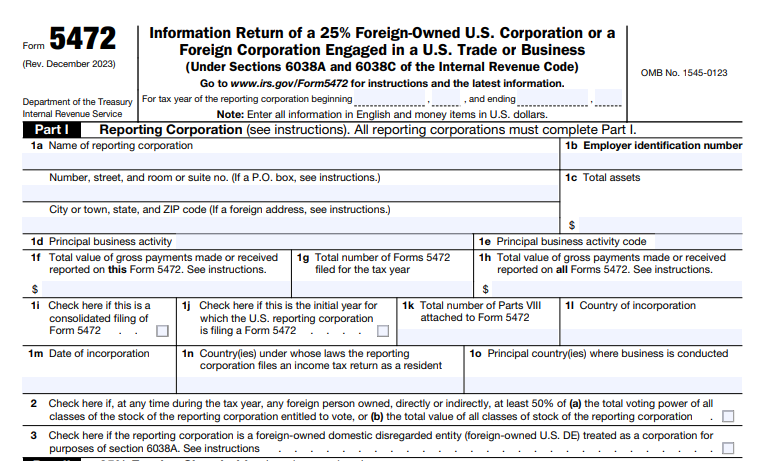
Foreign-Owned Disregarded Entities Pro forma 1120 + Form 5472 If 25%+ foreign-owned; report transactions.
Qualified Opportunity Funds Required with Form 8996 Even if no income; certify QOF status.
LLCs Electing Corporate Status Required + Form 8832 Attach election copy for first year.

Exclusions: S corporations (1120-S), exempt orgs with unrelated business income (990-T), personal holding companies (attach Schedule PH), or controlled foreign corporations (1120-F). E-filing mandatory if filing 10+ returns in 2024 (per Reg. §301.6037-2).

Recent Changes to IRS Form 1120 for Tax Year 2025

The IRS’s 2024 instructions (Rev. Jan 2025) govern 2025 filings, with post-release updates emphasizing CAMT and penalties. Key changes:

  • Penalty Increase: For 2025-due returns, late-filing penalty (over 60 days) is the smaller of tax due or $510 (up from $485).
  • CAMT Relief: Waived underpayment penalties for estimated taxes tied to CAMT (Notice 2024-66); new simplified status determination method (Sept 2025).
  • Schedule C Worksheet Update: Incorporates Section 250 impacts on dividends-received deductions (GILTI/FDII).
  • E-Filing Expansion: Mandatory for 10+ returns; new payment/transcript options (March 2025).
  • Digital Assets/QOF: Enhanced questions; attach Form 8997 if investments held in 2025.

No major form redesign, but fiscal filers use 2024 form for 2025 years ending in 2026.

IRS Form 1120 Download and Printable

Download and Print: IRS Form 1120

Step-by-Step Guide: How to Complete IRS Form 1120 for 2025

Use the 2024 form for 2025 filings; e-file via IRS Modernized e-File (MeF). Gather P&L, balance sheets, and subsidiary data. Based on 2024 instructions:

Preparation

  • Verify EIN/name match IRS records.
  • Check for special status (e.g., consolidated, PHC).
  • Complete attachments first (e.g., Schedule D for capital gains).

Page 1: Income and Deductions

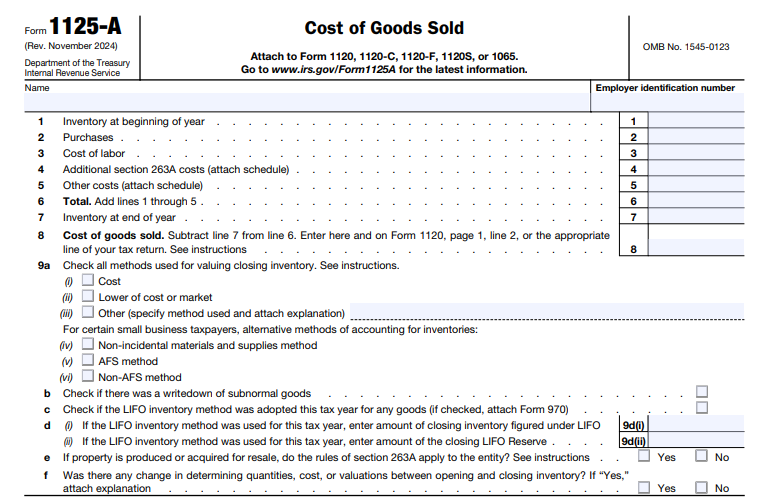
  • Lines 1-3: Gross receipts ($), returns/allowances, cost of goods sold (Form 1125-A).
  • Lines 4-11: Dividends (Schedule C), interest, rents, royalties, capital gains (Schedule D), other income.
  • Lines 12-27: Deductions—officers (Form 1125-E if receipts ≥$500K), salaries, repairs, bad debts, rents, taxes/licenses, interest (Form 8990), charitable (10% limit), depreciation (Form 4562), depletion, pensions, benefits, other (attach statement).
  • Line 28: NOL deduction (attach computation).
  • Line 29: Taxable income before NOL/special deductions.
  • Line 30: Taxable income (after NOLs, etc.).

Example: $1M gross receipts – $400K COGS – $200K deductions = $400K taxable × 21% = $84K tax.

Schedule C: Dividends and Special Deductions

  • Lines 1-14: Dividends received, exclusions (50%/65%/100%).
  • Use updated worksheet for Section 250 adjustments.

Schedule J: Tax Computation

  • Lines 1-11: Tax at 21%, recapture, alternative minimum, base erosion (Form 8991).
  • Lines 12-22: Credits (Form 3800), payments, overpayment/refund.

Schedule K: Other Information

  • Report business codes, foreign transactions, NOLs, QOF investments.

Schedule L: Balance Sheet

  • Assets/liabilities at book value; reconcile to tax basis if Schedule M-1 used.

Schedule M-1/M-3: Reconciliation

  • M-1 for small corps; M-3 mandatory for $10M+ assets (book-to-tax differences).

Filing

  • Due: 15th day of 4th month after year-end (April 15, 2026, calendar); extend via Form 7004 (6 months, pay estimates by original due).
  • E-File/Mail: MeF preferred; mail to Ogden, UT, if paper.
  • Payments: EFTPS by due date; attach Form 7004 if extending.

Common Mistakes to Avoid When Filing Form 1120

Errors can trigger audits or penalties—here’s how to steer clear:

Mistake Why It Happens How to Fix It
Late Filing Missing April 15 deadline Calendar reminders; file Form 7004 early.
Inaccurate Income Reporting Omitting sources like dividends Cross-check P&L; use Schedule C worksheet.
Wrong Form Type Filing 1120-S without election Verify status; attach Form 8832 if electing.
Missing Schedules Forgetting M-3 or 5472 Attach in order; e-file to validate.
EIN/Name Mismatch Typos in header Confirm via IRS transcript; check Item E for changes.

Retain records 3-7 years; amend via Form 1120-X.

Why File Form 1120 Accurately? Real-World Benefits for 2025

A mid-sized manufacturer with $5M taxable income could save $50K+ via proper R&D credits (Form 6765) and NOL carryforwards, per IRS examples. With CAMT relief, large corps avoid underpayment hits, freeing cash for investments amid 2025’s economic shifts.

Final Thoughts: Master Your 2025 Form 1120 Filing Today

IRS Form 1120 is your C corporation’s gateway to compliance and savings, but 2025’s penalty hikes and CAMT tweaks demand precision. By tackling eligibility, updates, and common pitfalls head-on, you’ll file confidently by April 2026.

Download the 2024 form/instructions from IRS.gov and partner with a CPA for complex scenarios. Explore our guides on Schedule M-3 or Form 3800 for deeper dives. Questions on “corporate tax deductions 2025“? Comment below!

This article is informational only—not tax advice. Consult a qualified professional for your situation.


IRS Form 2441 – Child and Dependent Care Expenses

IRS Form 2441 - Child and Dependent Care Expenses

IRS Form 2441 – Child and Dependent Care Expenses – If you paid for childcare, preschool, summer day camp, or care for a disabled spouse/dependent in 2024 so you (and your spouse) could work or look for work, you may qualify for the Child and Dependent Care Credit worth up to $2,100 (or $4,200 for two or more qualifying persons). The credit is claimed using IRS Form 2441, and for tax year 2024 (filed in 2025), the rules remain generous thanks to the permanent enhancements from the American Rescue Plan.

This SEO-optimized guide explains everything you need to know about Form 2441 in 2025 — eligibility, credit amounts, new limits, how to fill it out line-by-line, common mistakes, and tips to maximize your refund.

IRS Form 2441 - Child and Dependent Care Expenses
IRS Form 2441 – Child and Dependent Care Expenses


What Is Form 2441 and How Much Is the 2024–2025 Credit Worth?

Form 2441 calculates the non-refundable Child and Dependent Care Credit (Internal Revenue Code §21). For tax year 2024:

Number of Qualifying Persons Maximum Eligible Expenses Maximum Credit (50% phase-out complete)
1 child or dependent $3,000 $1,050
2 or more $6,000 $2,100
  • The credit percentage ranges from 20% to 35% of eligible expenses, depending on your adjusted gross income (AGI).
  • Highest 35% rate applies if AGI ≤ $15,000.
  • Phase-out begins at AGI > $15,000 and bottoms out at 20% once AGI exceeds $43,000 (these thresholds are not inflation-adjusted).

Good news: Unlike 2021’s temporary $8,000/$16,000 limits, the $3,000/$6,000 caps are now permanent under current law.

Who Qualifies for the Child and Dependent Care Credit in 2025?

You (and your spouse if married) must meet all five tests:

  1. Qualifying Person Test
    • Child under age 13 when care was provided (or any age if physically/mentally incapable of self-care).
    • Must be your dependent (or could be if not for certain rules).
    • Disabled spouse or dependent also qualifies.
  2. Earned Income Test
    • You (and spouse if MFJ) must have earned income (W-2 wages, self-employment, etc.).
    • Special rule: Full-time students or disabled spouses are treated as having $250/$500 monthly earned income.
  3. Work-Related Expense Test
    • Care was provided so you could work or actively look for work.
  4. Joint Return Test (if married)**
    • Must file Married Filing Jointly (very limited exceptions).
  5. Provider Identification Test
    • You must provide the care provider’s name, address, and SSN or EIN (no credit without this).

2024–2025 Dollar Limits and Phase-Out Table

AGI (2024) Credit Percentage Max Credit – 1 Person Max Credit – 2+ Persons

$0 – $15,000 | 35% | $1,050 | $2,100 $15,001 – $17,000 | 34% | $1,020 | $2,040 … (decreases 1% every $2k) | | | $43,001 and higher | 20% | $600 | $1,200

IRS Form 2441 Download and Printable

Download and print: IRS Form 2441

How to Fill Out Form 2441 – Step-by-Step (2024 Form)

Part I – Care Provider Information

  • Lines 1a–1c: List each provider’s name, address, SSN/EIN, and amount paid.
  • Summer camps, daycare centers, and after-school programs need their EIN.
  • If provider refuses SSN/EIN → no credit.

Part II – Credit Calculation

2a–2c: Enter total 2024 care expenses (capped at $3,000/$6,000).
3: Enter your earned income.
4: Enter spouse’s earned income (or deemed $250/$500 if student/disabled).
5: Take the smallest of lines 2c, 3, or 4 → this is your credit base.
6–10: Look up your AGI-based percentage from the table on page 6 of instructions.
11: Multiply line 5 × percentage → this is your credit.

Part III – Dependent Care Benefits (if employer plan)

Only complete if you received employer-provided dependent care assistance (FSA box 10 on W-2).

The credit flows to Form 1040 Schedule 3, line 2.

Common Mistakes That Cost Taxpayers Thousands

  • Forgetting provider SSN/EIN (most audited item).
  • Claiming household employees (nannies) without an EIN.
  • Including overnight camp or tuition expenses (not eligible).
  • Claiming care for a 13-year-old (unless disabled).
  • Married couples filing separately (almost never allowed).

2025 Updates and New Rules

  • Inflation-adjusted penalty for missing provider ID increased to $280 per return (up from $270).
  • IRS now cross-checks Form 2441 against Form W-10 and daycare 1099 reports.
  • Dependent Care FSA contribution limit remains $5,000 ($2,500 if MFS) for 2025.
  • No major legislative changes expected before 2026 (current rules locked through 2025 under TCJA sunset delay).

Quick Credit Maximization Checklist for 2025 Filing

  • Use a Dependent Care FSA at work → pay expenses pre-tax (saves FICA + income tax).
  • Pay your nanny or au pair legally → get an EIN and issue W-2 (makes expenses fully eligible).
  • Keep receipts + signed Form W-10 from providers.
  • If self-employed, remember your own earned income limit still caps the credit.

Conclusion: Claim Up to $2,100 in 2025

The Child and Dependent Care Credit remains one of the most valuable working-family tax breaks. With the 2024 expenses capped at $3,000/$6,000 and the credit percentage locked through at least 2025, millions of families will claim $600 to $2,100 on their 2024 returns filed in 2025.

Download the official 2024 Form 2441 and instructions at IRS.gov/Form2441
Free filing options with guided Form 2441 support: IRS Free File, TurboTax, TaxAct, and most major platforms.

Don’t leave money on the table — if you paid for care so you could work in 2024, file Form 2441 and get your credit!

Last updated: December 2025 | Sources: IRS Publication 503 (2024), IRS Form 2441 Instructions (2024), IR-2024-298


IRS Form 4136 – Credit for Federal Tax Paid On Fuels

IRS Form 4136 - Credit for Federal Tax Paid On Fuels

IRS Form 4136 – Credit for Federal Tax Paid On Fuels – Fuel costs can eat into your business or farming profits, but what if you could reclaim the federal excise taxes paid on gasoline, diesel, or kerosene used off-highway? IRS Form 4136, the “Credit for Federal Tax Paid on Fuels,” offers a refundable tax credit for just that—helping farmers, contractors, and nonprofits offset expenses on qualifying nontaxable fuel uses. If you’re searching for “Form 4136 instructions 2025,” “fuel tax credit eligibility,” or “how to claim diesel fuel credit on taxes,” this SEO-optimized guide has you covered with step-by-step advice, drawn from the IRS’s latest 2025 draft instructions and key updates.

With rising fuel prices and scam alerts around improper claims, accurate filing is crucial—incorrect claims can trigger a $5,000 penalty per return. For tax year 2025, expect the new mandatory supporting statement for individuals and expirations on biodiesel-related credits. File by April 15, 2026 (or October 15 with extension) to maximize your refund. Let’s break it down.

IRS Form 4136 - Credit for Federal Tax Paid On Fuels
IRS Form 4136 – Credit for Federal Tax Paid On Fuels


What Is IRS Form 4136?

Form 4136 allows taxpayers to claim a refundable credit for federal excise taxes paid on fuels used in nontaxable ways, such as off-highway business operations, farming, or aviation. This includes credits for alternative fuels, diesel-water emulsions, and exported dyed fuels. Unlike deductions, this credit directly reduces your tax bill or boosts your refund—up to 24.4 cents per gallon for gasoline in farming, for example.

The form supports three main categories:

  • Nontaxable Uses: Fuel for non-highway purposes (e.g., construction equipment, tractors).
  • Alternative Fuel Credit: For compressed natural gas (CNG), propane, or hydrogen (though some expire post-2024).
  • Mixture Credits: For biodiesel or sustainable aviation fuel (SAF) blending, but note expirations for sales after 2024.

Per IRS Publication 510, the credit reimburses the excise tax (e.g., 18.4 cents/gallon on gasoline) embedded in fuel prices. It’s claimed annually on your income tax return but can be filed quarterly via Form 8849 for faster refunds. For 2025, the form integrates with Form 3800 for general business credits if applicable.

Who Is Eligible for the Fuel Tax Credit on Form 4136 in 2025?

Eligibility requires a qualifying business activity and proof of nontaxable use—no personal or highway driving qualifies. The ultimate purchaser (you, if you bought the fuel) claims most credits, but registration via Form 637 is mandatory for vendors, blenders, or producers.

Key Eligible Taxpayers

Taxpayer Type Eligible Credits Requirements
Farmers & Off-Highway Businesses (e.g., construction, logging) Nontaxable gasoline/diesel/kerosene (Lines 1–4) Business use only; keep mileage/fuel logs.
Aviation Operators (commercial/nonprofit) Aviation gasoline/kerosene (Lines 2, 5) Registered aircraft; no personal flights.
Nonprofits & Governments Sales to exempt entities (Lines 6–8) Ultimate vendors must have buyer certificates.
Fuel Blenders/Producers Biodiesel/SAF mixtures (Line 10); alternative fuels (Line 12) IRS registration; ASTM/EPA compliance; certificates attached.
Exporters Dyed fuels/gasoline blendstocks (Line 16) Proof of export (e.g., bill of lading).
Individuals/Sole Proprietors All, if business-related Must attach new 2025 supporting statement for nontaxable uses.

Exclusions: No claims for highway use, personal vehicles, or fuels sold/used after 2024 for biodiesel/renewable diesel mixtures (expired per Section 40A/6426). Partnerships report via Schedule K-1; can’t file directly. Penalty for frivolous claims: $5,000 (IRC 6702).

Recent Changes to IRS Form 4136 for Tax Year 2025

The IRS released the 2025 draft Form 4136 and instructions in December 2025, building on 2024’s anti-fraud measures. Key updates focus on scam prevention and expirations:

  • New Mandatory Supporting Statement: For individuals claiming nontaxable uses of gasoline, aviation gasoline, undyed diesel, or kerosene on Form 1040, attach “Statement Supporting Fuel Tax Credit (FTC) Computation – 1.” This includes business details (name/EIN), vehicle/machinery info (make/model/type), and a table reconciling estimated vs. actual fuel costs/gallons. Failure delays processing; located in instructions page 9.
  • Credit Expirations: Biodiesel, agri-biodiesel, renewable diesel mixture credits (Line 10), and alternative fuel credits expire for sales/uses after 2024. SAF credit ends September 30, 2025 (Line 10). Liquefied hydrogen ineligible since 2023.
  • Registration Emphasis: All claimants on Lines 6–8, 10, 12, 13, 15 must have a Form 637 number; no claims without it.
  • Inflation Adjustments: Fuel rates unchanged from 2024 (e.g., 24.4¢/gallon gasoline farm use), but Clean Fuel Production Credit (Section 45Z) starts January 1, 2025, at $1/gallon non-SAF (up to $1.75 SAF with wage/apprenticeship compliance)—separate from Form 4136 but related for producers.
  • Scam Alerts: Fuel credits added to IRS “Dirty Dozen” list; social media promoters face heightened scrutiny.

These changes, per IR-2025-12, aim to curb improper claims amid rising fraud.

Step-by-Step Guide: How to Complete IRS Form 4136 for 2025

Download the 2025 draft from IRS.gov. Gather receipts, odometer logs, and certificates. Use tax software for calculations; attach to your return (e.g., Form 1040, line 72).

Preparation

  • Verify eligibility and registration (Form 637).
  • Complete the new FTC Computation Statement for nontaxable uses.
  • For multiple businesses: Use Schedule A (Form 4136) per activity; total on Part II.

Part I: Nontaxable Use of Fuels (Lines 1–5)

Enter gallons in column (a), rate in (b), credit in (c). Type of use codes (1–16) from instructions (e.g., 1=farm, 2=off-highway business).

Example (Line 1 – Gasoline for Farming): 500 gallons × $0.244 = $122 credit.

Line Fuel Type Common Uses (Type Codes) 2025 Rate Examples
1 Gasoline Farm (1), Off-highway (2), Export (3) $0.244/gallon (farm); $0.183 (export)
2 Aviation Gasoline Nontaxable aviation (9/10), Export (3) $0.193/gallon
3 Undyed Diesel Off-highway (2), Train (6), Export (3) $0.244/gallon (most); $0.199 (bus)
4 Undyed Kerosene Off-highway (2), Home heating ($0.243) $0.244/gallon
5 Kerosene in Aviation Commercial (5a: $0.218), Noncommercial (5c: $0.025) Varies by use

Part II: Other Credits (Lines 6–16)

  • Lines 6–8: Sales to vendors/governments; attach buyer lists.
  • Line 10: SAF/biodiesel; enter gallons, attach certificates (expires post-2024 for mixtures).
  • Line 11: Alternative fuels (e.g., propane: $0.50/GGE); bus rate reduced.
  • Line 12: Producer credit (first on Form 720).
  • Line 13: Credit card issuers for government sales.
  • Line 14: Diesel-water emulsion ($0.198/gallon).
  • Line 15: Blending credit.
  • Line 16: Exported dyed fuels ($0.244/gallon diesel).

Line 17: Total credit; enter on tax return.

Filing Tips

  • Attach: Form 4136, supporting statement, certificates/waivers (e.g., Model P from Pub. 510).
  • E-File: Preferred; paper to your service center.
  • Deadlines: With return (April 15, 2026); extend via Form 4868.
  • Records: Keep 3 years (receipts, logs); no submission needed.

Common Mistakes to Avoid When Filing Form 4136

Fuel credit scams are rampant—avoid these to prevent audits or penalties:

Mistake Why It Happens How to Fix It
Skipping Supporting Statement Overlooking 2025 requirement for individuals Complete “FTC Computation – 1” and attach to Form 1040.
Claiming Highway Use Mixing personal miles with business Use logs to separate; only nontaxable qualifies.
No Registration Forgetting Form 637 Apply early; enter number on form or STOP.
Expired Credits Claiming biodiesel post-2024 Check instructions; use Section 45Z for new clean fuels.
Math Errors Wrong rates/gallons Use Pub. 510 rates; double-check with software.

Why Claim the Fuel Tax Credit? Real-World Savings for 2025

A farmer using 10,000 gallons of diesel off-highway could reclaim $2,440 ($0.244/gallon), per IRS rates—enough for new equipment. With 2025’s clean fuel expansions under Section 45Z, producers gain up to $1.75/gallon for SAF, but Form 4136 remains key for traditional claims. Beware scams promising “everyone qualifies“—only business users do.

Final Thoughts: Maximize Your 2025 Fuel Tax Refund with Form 4136

IRS Form 4136 turns paid excise taxes into cash back for qualifying fuel uses, but 2025’s supporting statement and expirations demand diligence. Start with records, verify eligibility, and file accurately to avoid delays or penalties.

Download the 2025 draft instructions from IRS.gov and consult a tax pro for complex claims. For more on excise taxes, see Pub. 510. Questions on “fuel tax credit for farmers 2025“? Comment below!

This article is informational only—not tax advice. Consult a qualified professional for your situation.

IRS Form 4136 Download and Printable

Download and print: IRS Form 4136

IRS Form 1066 – U.S. Real Estate Mortgage Investment Conduit (REMIC) Income Tax Return

IRS Form 1066 - U.S. Real Estate Mortgage Investment Conduit (REMIC) Income Tax Return

IRS Form 1066 – U.S. Real Estate Mortgage Investment Conduit (REMIC) Income Tax Return – Real Estate Mortgage Investment Conduits (REMICs) are specialized investment vehicles that pool mortgage loans to issue securities backed by those assets, offering tax advantages to investors while ensuring compliance with IRS rules. Central to this compliance is IRS Form 1066, the U.S. Real Estate Mortgage Investment Conduit (REMIC) Income Tax Return. This form reports income, deductions, gains, and losses from REMIC operations, while also calculating taxes on specific activities like prohibited transactions.

As we approach the 2025 filing season for tax year 2024, understanding Form 1066 filing requirements is crucial for REMIC managers and residual interest holders to avoid penalties and maintain tax-exempt status. This SEO-optimized guide covers everything from eligibility and deadlines to step-by-step completion instructions and recent updates. For the most current details, visit IRS.gov/Form1066.

IRS Form 1066 - U.S. Real Estate Mortgage Investment Conduit (REMIC) Income Tax Return
IRS Form 1066 – U.S. Real Estate Mortgage Investment Conduit (REMIC) Income Tax Return


What Is IRS Form 1066?

IRS Form 1066 is the annual income tax return for REMICs, a type of pass-through entity under section 860D of the Internal Revenue Code. It ensures REMICs report their taxable activities transparently, passing most income through to regular interest holders (taxed as debt instruments) and residual interest holders (taxed on their share of REMIC income). The form also computes and pays taxes at the REMIC level on:

  • Net income from prohibited transactions (e.g., non-qualified asset sales).
  • Net income from foreclosure property.
  • Contributions received after the startup day.

REMICs must use the accrual method of accounting and adhere to a calendar-year tax period. Unlike partnerships, REMICs are not subject to entity-level tax on regular operations but must file Form 1066 to validate their status and report allocations via Schedule Q. Failure to qualify as a REMIC can result in taxation as a taxable mortgage pool, triggering severe penalties.

For tax year 2024 (filed in 2025), the form aligns with ongoing IRS emphasis on accurate investor reporting amid rising mortgage-backed securities activity.

Who Must File Form 1066?

Form 1066 is mandatory for any entity that elects REMIC status and meets the qualifications under section 860D(a). Here’s who qualifies:

  • Electing Entities: Any trust, estate, association, or corporation that timely elects REMIC treatment for its startup year (and all subsequent years unless terminated). The election is made by filing Form 1066 for the first tax year, attaching details on interests and prepayment assumptions.
  • Ongoing REMICs: Entities with an effective election that continue to satisfy asset tests (e.g., 95% qualified mortgages) and restrictions on residual interest holders (no disqualified organizations like tax-exempts without arrangements).
  • Exceptions: REMICs with a startup day before April 1, 1988, or under binding contract by March 31, 1988, may have modified rules but still file Form 1066.

Residual interest holders (who bear the tax on REMIC income) rely on Schedule Q attachments for their personal returns. If the REMIC has multiple residual holders, it may need to designate a partnership representative for audit purposes. Foreign REMICs with U.S. activities must also comply.

When Is Form 1066 Due in 2025?

The deadline for Form 1066 for calendar-year REMICs (tax year 2024) is March 15, 2025. For final returns (REMIC termination in 2024), it’s the 15th day of the 3rd month after cessation. Short tax years follow the same rule, adjusted for the period end.

Key 2025 Filing Deadlines Table

Tax Year Type Original Due Date Extended Due Date (with Form 7004)
Calendar Year 2024 March 15, 2025 September 15, 2025
Short Year Ending in 2024 15th Day of 3rd Month After End 6 Months from Original
Final Return (2024 Cessation) 15th Day of 3rd Month After Cessation 6 Months from Original

Note: If the due date falls on a weekend or holiday, it shifts to the next business day.

IRS Form 1066 Download and Printable

Download and Print: IRS Form 1066

Extensions and Amendments

  • Automatic 6-Month Extension: File Form 7004 by the original due date—no approval needed. This extends filing but not payment of any taxes due (e.g., on prohibited transactions).
  • Amended Returns: Use Form 1065-X to correct errors; refile affected Schedule Qs with residual holders. Late amendments may qualify for reasonable cause relief.

Three consecutive years of non-filing can lead to status revocation.

How to Complete IRS Form 1066: Step-by-Step Guide

Form 1066 includes the main return, Schedule J (taxes), Schedule L (balance sheet), Schedule M (capital reconciliation), and Schedule Q (quarterly notices). Use the 2024 form for tax years ending in 2024 or short 2025 periods. Report in U.S. dollars, round to whole numbers, and attach statements as needed (e.g., Form 4562 for depreciation).

Essential Sections and Line Highlights

  1. Identifying Information (Items A–L):
    • Enter EIN, startup day, total assets, and number of residual holders.
    • Check boxes for final return, audit regime election (if ≤100 holders), or foreign accounts (trigger FinCEN Form 114).
    • Item L: Sum of daily accruals for residuals (120% of federal long-term rate).
  2. Section I: Income (Lines 1–6):
    • Line 1: Taxable interest (net of amortizable premiums).
    • Line 2: Accrued market discount.
    • Line 5: Other income (e.g., debt cancellation; attach statement).
    • Line 6: Total income.
  3. Deductions (Lines 7–14):
    • Line 9: Interest to regular holders (includes OID).
    • Line 11: Taxes (from Schedule J).
    • Line 12: Depreciation (attach Form 4562).
    • Line 14: Total deductions (no NOLs or foreign tax credits here).
  4. Tax Computation (Lines 15–22):
    • Line 15: Taxable income (line 6 minus line 14).
    • Line 22: Total tax (primarily from Schedule J).
  5. Schedule J: Taxes:
    • Part I: 35% tax on prohibited transaction net income (gains from non-qualified sales).
    • Part II: 35% on foreclosure property net income (after 3-year grace period).
    • Part III: 100% on post-startup contributions (with exceptions for clean-up calls).
  6. Schedule L: Balance Sheet (Per Books):
    • Assets: Cash flow investments, qualified reserves, foreclosure property, qualified mortgages, regular interests.
    • Liabilities: Accrued interest to holders.
  7. Schedule M: Reconciliation of Residual Holders’ Capital Accounts:
    • Columns track beginning/ending balances, income allocations, and adjustments (e.g., nondeductible expenses).
  8. Schedule Q: Quarterly Notice to Residual Interest Holders:
    • One per holder per quarter; file all with Form 1066.
    • Reports share of taxable income/loss, excess inclusions, and asset tests (≥95% qualified).
    • Furnish to holders by the last day of the month following quarter-end.

Pro Tip: Sequence: Complete Schedule Q first, then J, main form, L, and M. Use accrual basis; attach prospectuses for new REMICs.

E-Filing Requirements for Form 1066

While Form 1066 itself can be paper-filed, related information returns (e.g., Forms 1099-INT/OID for regular holders) must be e-filed if 10 or more (per Taxpayer First Act). Use IRS-approved software for accuracy. Payments via EFTPS; electronic filing speeds processing to 2–3 weeks.

Recent Changes to Form 1066 for 2025 Filings

The 2024 Form 1066 (used for 2025 filings) includes inflation-adjusted penalty increases:

  • Failure-to-File Minimum: Now $510 (up from prior years) if over 60 days late.
  • No-Tax-Due Penalty: $245 per residual holder per month (up to 12 months).

No structural changes for 2025; however, REMICs must monitor general updates like enhanced foreign account reporting (FinCEN Form 114). Check IRS.gov for post-October 2024 legislation.

Penalties for Late or Incomplete Form 1066 Filing

Compliance is strict—penalties accrue quickly:

  • Failure to File (Section 6651(a)): 5% of unpaid tax per month (max 25%); minimum $510 if over 60 days late.
  • No Tax Due (Section 6698): $245 per residual holder per month (max 12 months).
  • Failure to Furnish Schedule Q: $130 per schedule (up to $510 if intentional).
  • Late Payment: 0.5% per month (max 25%).
  • Other: 20–40% for understatements; 100% on excess inclusions to tax-exempts.

Interest applies from due date. Reasonable cause (e.g., natural disasters) waives penalties; state filings may add fees.

Best Practices for Form 1066 Compliance in 2025

  • Prepare Early: Gather mortgage schedules, interest accruals, and holder data quarterly.
  • Leverage Software: Tools like TurboTax Business or specialized REMIC platforms automate Schedule Q.
  • Investor Communication: Distribute Schedule Qs promptly; retain records for 7+ years.
  • Professional Help: Engage a CPA for complex asset tests or elections.
  • Audit Readiness: Designate a U.S.-based partnership representative if applicable.

Accurate filing supports REMIC’s pass-through benefits, minimizing entity-level taxes.

Conclusion: Master Form 1066 Filing for REMIC Success in 2025

IRS Form 1066 is the cornerstone of REMIC tax compliance, ensuring seamless income allocation while taxing impermissible activities. With the March 15, 2025, deadline looming for tax year 2024, proactive preparation—including extensions via Form 7004—can prevent costly penalties.

Download the latest form and instructions from IRS.gov. For assistance, call the IRS Business Hotline at 800-829-4933. Stay compliant, and let your REMIC focus on mortgage investments, not IRS headaches.

Last updated: December 2025. Consult official IRS sources for tailored advice.


IRS Form 1120-L – U.S. Life Insurance Company Income Tax Return

IRS Form 1120-L - U.S. Life Insurance Company Income Tax Return

 IRS Form 1120-L – U.S. Life Insurance Company Income Tax Return – Navigating tax compliance in the life insurance sector demands precision, especially with IRS Form 1120-L—the dedicated return for reporting income, deductions, credits, and tax liability under specialized rules for life insurers. If you’re a life insurance executive querying “Form 1120-L instructions 2025,” a tax advisor optimizing policyholder surplus deductions, or a CFO tackling NAIC annual statement attachments, this SEO-optimized guide equips you with actionable insights for tax year 2025.

Sourced from the IRS’s official 2024 instructions (applicable for 2025 filings) and recent updates, we’ll cover eligibility, key changes, step-by-step completion, and strategies to minimize audits and penalties. With the filing deadline approaching April 15, 2026, for calendar-year companies, mastering Form 1120-L ensures your company avoids the escalated late-filing penalty—now up to $510 for returns over 60 days late. Let’s streamline your process.

IRS Form 1120-L - U.S. Life Insurance Company Income Tax Return
IRS Form 1120-L – U.S. Life Insurance Company Income Tax Return


What Is IRS Form 1120-L?

IRS Form 1120-L, the U.S. Life Insurance Company Income Tax Return, is the mandatory federal tax form for domestic life insurance companies and qualifying foreign entities under IRC Section 801. It computes taxable income using unique methodologies like the reserves test (Section 816(a)), segregating life insurance gross income from other operations, and applies a 21% corporate tax rate on non-life activities while deferring taxes on certain policyholder reserves.

Key components include:

  • Life/Non-Life Segregation: Reports life insurance company taxable income (LICTI) on Page 1 and policyholder surplus adjustments.
  • Schedules: A (taxable income), F (policy acquisition expenses), M-1 (reconciliation), and more.
  • Attachments: NAIC annual statement and, for assets ≥ $10M, Schedule M-3 for net income reconciliation.

For 2025, filers must integrate digital asset questions and QOF investment reporting via Form 8997. This form isn’t just compliance—it’s a tool for claiming credits like the general business credit (Form 3800) and optimizing deductions under Section 807.

Who Must File IRS Form 1120-L in 2025?

Every domestic life insurance company—defined as one where life reserves + unearned premiums/unpaid losses on noncancellable policies exceed 50% of total reserves—must file Form 1120-L, regardless of income level. This includes Section 501(m)(1) organizations offering commercial-type insurance.

Eligible Entities

Entity Type Filing Obligation Key Notes
Domestic Life Insurers Required Includes annuity and combined life/health providers; attach NAIC statement.
Foreign Life Insurers Required if U.S.-engaged File if selling U.S. real property (Section 897); report effectively connected income.
Mixed Groups Required for insurance members Consolidated groups with non-insurers use Form 1120 parent; insurance subsidiaries complete Schedule M-3 (Form 1120-L).
Small Insurers (Assets < $10M) Required, but Schedule M-3 optional Voluntary M-3 filing recommended for transparency.
Terminated Companies Final return marked Attach Form 966 if dissolved.

Exclusions: Property/casualty insurers file Form 1120-PC; non-insurance corps use Form 1120.

E-filing is mandatory for companies filing 10+ returns annually via the Modernized e-File system. Foreign filers without U.S. business may qualify for streamlined reporting.

Recent Changes to IRS Form 1120-L for Tax Year 2025

The IRS’s 2024 instructions (Rev. Feb 2025) apply to 2025 returns, with no major structural overhauls but targeted enhancements for compliance and inflation adjustments:

  • Escalated Late-Filing Penalty: Minimum penalty for returns >60 days late rises to the smaller of tax due or $510 (from $485 in 2024), per IRS Notice adjustments.
  • Updated Dividends-Received Deduction Worksheet: Schedule A, Lines 10/21 now incorporate Section 250 GILTI/REIT dividends impacts, aiding international exposure.
  • Digital Assets & QOF Reporting: New checkboxes for digital asset transactions; attach Form 8997 for qualified opportunity fund investments held anytime in 2025.
  • Schedule M-3 Enhancements: For assets ≥ $10M, expanded mixed-group rules require subgroup consolidations (1120-L vs. 1120-PC); voluntary filers must check Item A, Box 3.
  • NAIC Integration: Electronic filers no longer attach full NAIC statements but must reference them; paper filers still include copies.
  • Interest Expense Limitations: Form 8990 required for Section 163(j) calculations, with no changes to thresholds.

These align with broader IRS modernization, including post-release tweaks in March 2025 for e-file validations.

IRS Form 1120-L Download and Printable

Download and Print: IRS Form 1120-L

Step-by-Step Guide: How to Complete IRS Form 1120-L for 2025

Gather NAIC statements, policy data, investment records, and subsidiary details. Use tax software for complex calculations like LICTI. Based on 2024 instructions (for 2025 use):

Header & Basic Info

  • Name/EIN/Address: Match NAIC filings; apply for EIN via IRS.gov if needed.
  • Item A: Check Box 3 if attaching Schedule M-3.
  • Item B: Report NAIC annual statement basis.
  • Digital Assets Question: Disclose receipts/sales of crypto or NFTs.

Page 1: Tax Computation

  • Lines 1-7: Compute life insurance gross income (premiums, investment income, exclusions under Section 101-103).
  • Line 8: Add capital gain net income (attach Schedule D (Form 1120)).
  • Line 19: Subtotal before deductions.
  • Line 20Taxable investment income (after policyholder deductions, Section 807).
  • Line 21Gain/loss from operations (Schedule C).
  • Line 22LICTI = Line 20 + Line 21 (taxed at 21%).
  • Line 23: Non-life taxable income (Schedule T, if applicable).
  • Line 26: Total tax; apply credits (e.g., Form 3800 on Line 27).

Example: A company with $5M investment income and $2M policyholder deductions reports $3M on Line 20, taxed at 21% ($630K).

Schedule A: Taxable Income

  • Lines 1-15: Detail investment income, reserves increases/decreases (Section 807(c)).
  • Lines 16-21: Deductions, including policy acquisition expenses (attach Schedule F).
  • Use updated worksheet for dividends-received deduction (50%/65% rates, limited by Section 246(b)).

Schedule F: Policy Acquisition Expenses

  • Amortize deferred expenses over 120 months; report excess on Line 21.

Schedule M-1: Reconciliation

  • Bridge statutory net income (NAIC basis) to taxable income; mandatory for all.

Schedule M-3 (If Assets ≥ $10M)

  • Part I: Financial vs. tax basis.
  • Part II/III: Income/expense reconciliations; sub-consolidate for mixed groups.

Schedules K & O

  • Schedule K: Shareholder info if >20% ownership.
  • Schedule O: Controlled group apportionments.

Filing

  • Due Date: 15th day of 4th month after year-end (April 15, 2026, for calendar).
  • Extension: File Form 7004 for 6 months (pay estimated tax by original due date).
  • Where: E-file via MeF; mail to IRS Ogden, UT, if paper.
  • Payments: Use EFTPS; attach Form 7004 if extending.

Common Mistakes to Avoid When Filing Form 1120-L

Life insurers often face audits on reserves and investments—sidestep these:

Mistake Why It Happens How to Fix It
Omitting NAIC Attachment Overlooking state-federal sync Reference in e-file; attach full copy for paper returns.
Incorrect LICTI Calculation Misapplying Section 807 reserves Use NAIC data; validate with Schedule A worksheet.
Skipping Schedule M-3 Assets < $10M but complex ops File voluntarily; check Box 3.
Late E-Filing Forgetting 10+ return threshold Mandate e-file; monitor via IRS account.
Ignoring Digital Assets Undisclosed crypto holdings Answer Page 1 question; report gains on Schedule D.

Retain records 7 years; amend via Form 1120X if errors found.

Why File Form 1120-L Accurately? Real-World Benefits for 2025

A mid-sized life insurer with $50M in reserves could defer $10M+ in taxes via proper policyholder deductions, per industry benchmarks. Accurate filing unlocks credits (e.g., R&D via Form 6765) and avoids 5%/month failure-to-file penalties (max 25%). With 2025’s penalty hikes, compliance saves thousands while supporting growth in annuities and investments.

Final Thoughts: Optimize Your 2025 Form 1120-L Filing Now

IRS Form 1120-L is the cornerstone of tax strategy for life insurers, blending NAIC compliance with federal rules to minimize liability. By addressing 2025 updates like enhanced penalties and M-3 requirements, you’ll ensure seamless filing by April 2026.

Download the 2024 form/instructions from IRS.gov (use for 2025) and engage a tax specialist for tailored advice. Explore our guides on Schedule M-3 or Form 1120-PC for related insights. Got questions on “life insurance reserves 2025“? Comment below!

This article is informational only—not tax advice. Consult a CPA or attorney for your company’s needs.